

Salary Advances
Installments, payroll deductions
With QR Zaman's leave management system, employees send leave requests from the mobile app and managers approve them in one tap or reject them with a reason. The request screen calculates total entitlement, used leave and remaining days from seniority, and hourly leave, a leave address and attachments such as medical notes are supported.
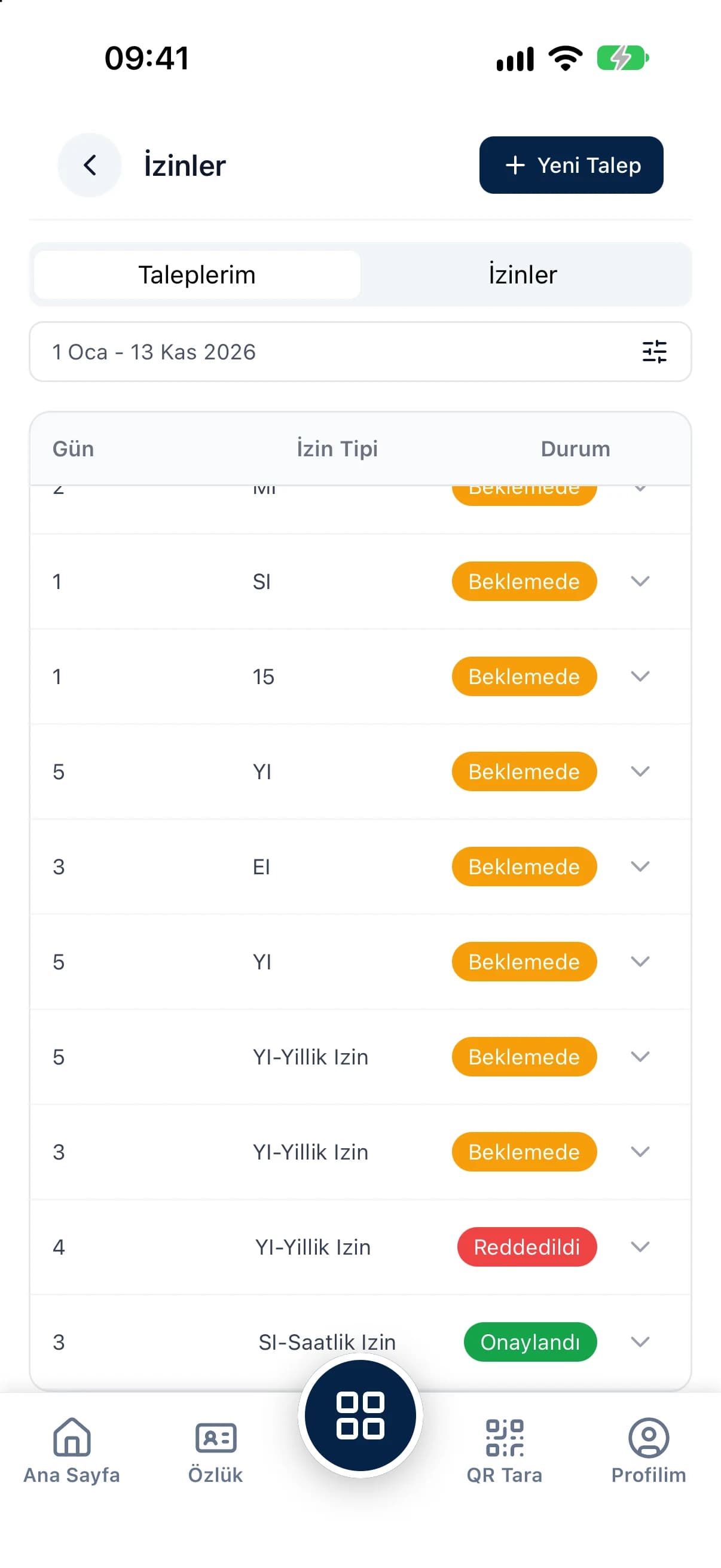
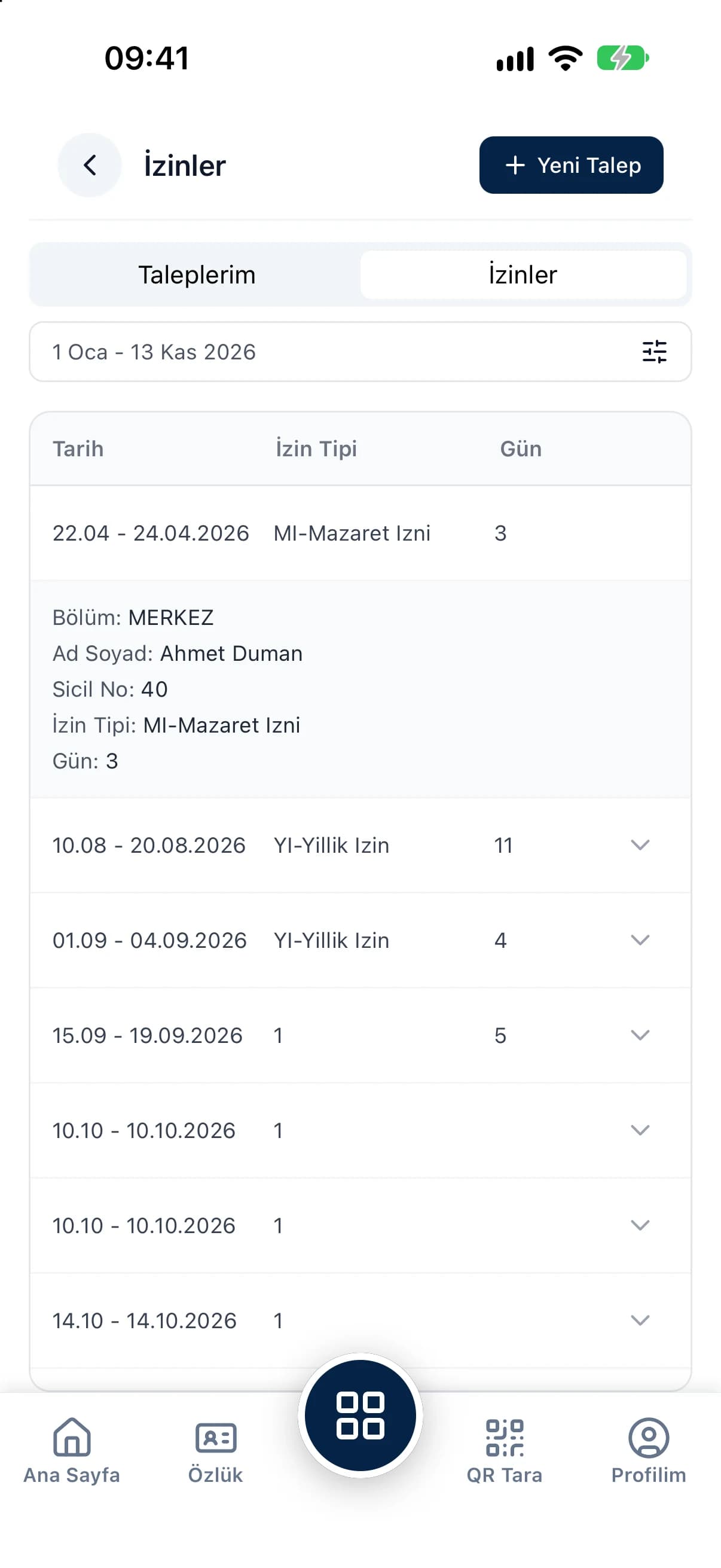
Employees enter the leave type, dates, address and a message on their phone, then follow the status and any rejection reason in real time.
Years of service, total entitlement, leave used this year and in past years, and the remaining balance are ready on the request.
Pending requests show on the dashboard, and managers approve or reject them with a reason from the panel or the app.
The request detail shows the employee, leave type, dates and message right next to an automatically calculated leave balance, so you never open a separate spreadsheet to decide. The All leave and All requests tabs keep a full history, and you can record leave yourself by selecting several employees and a date range.
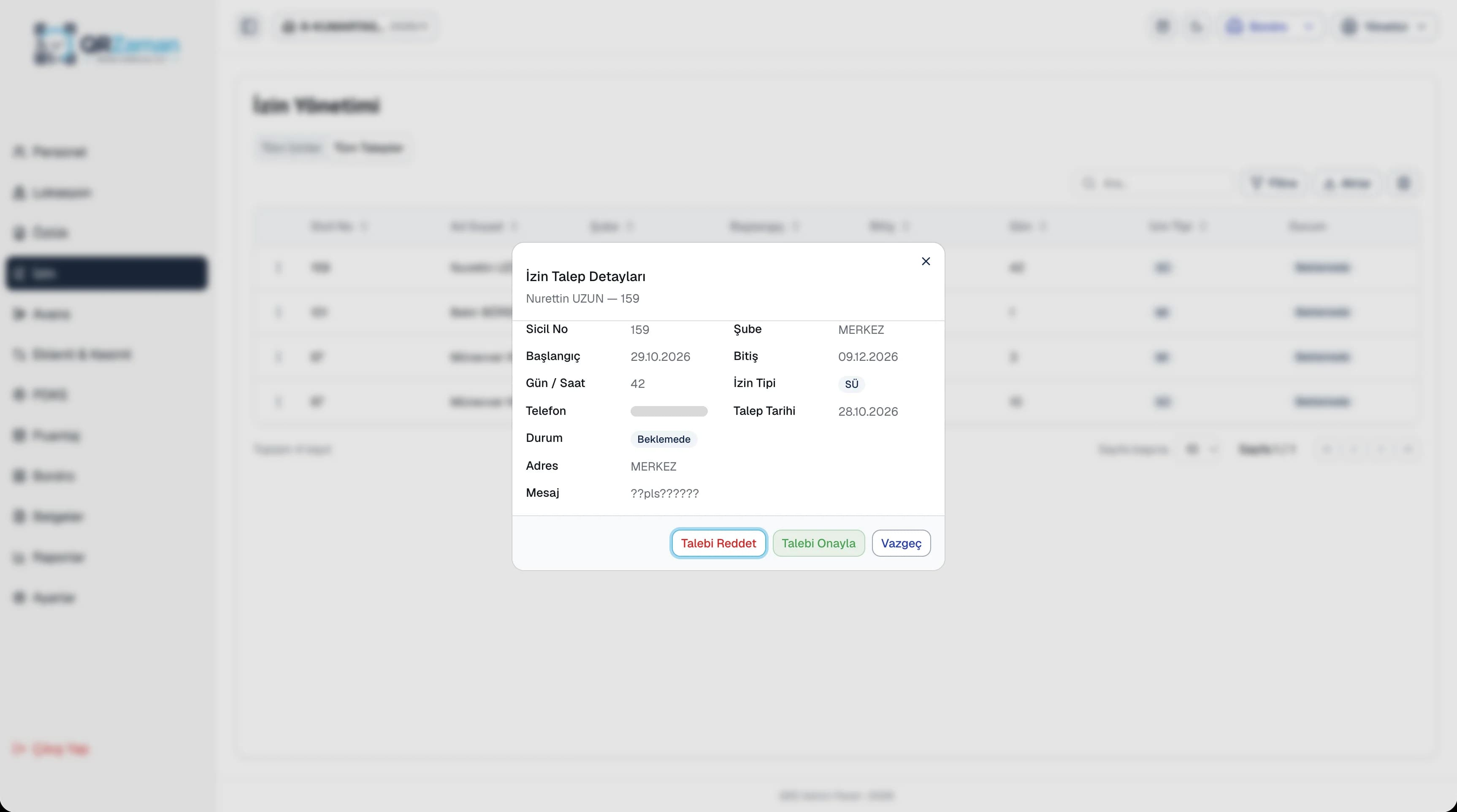
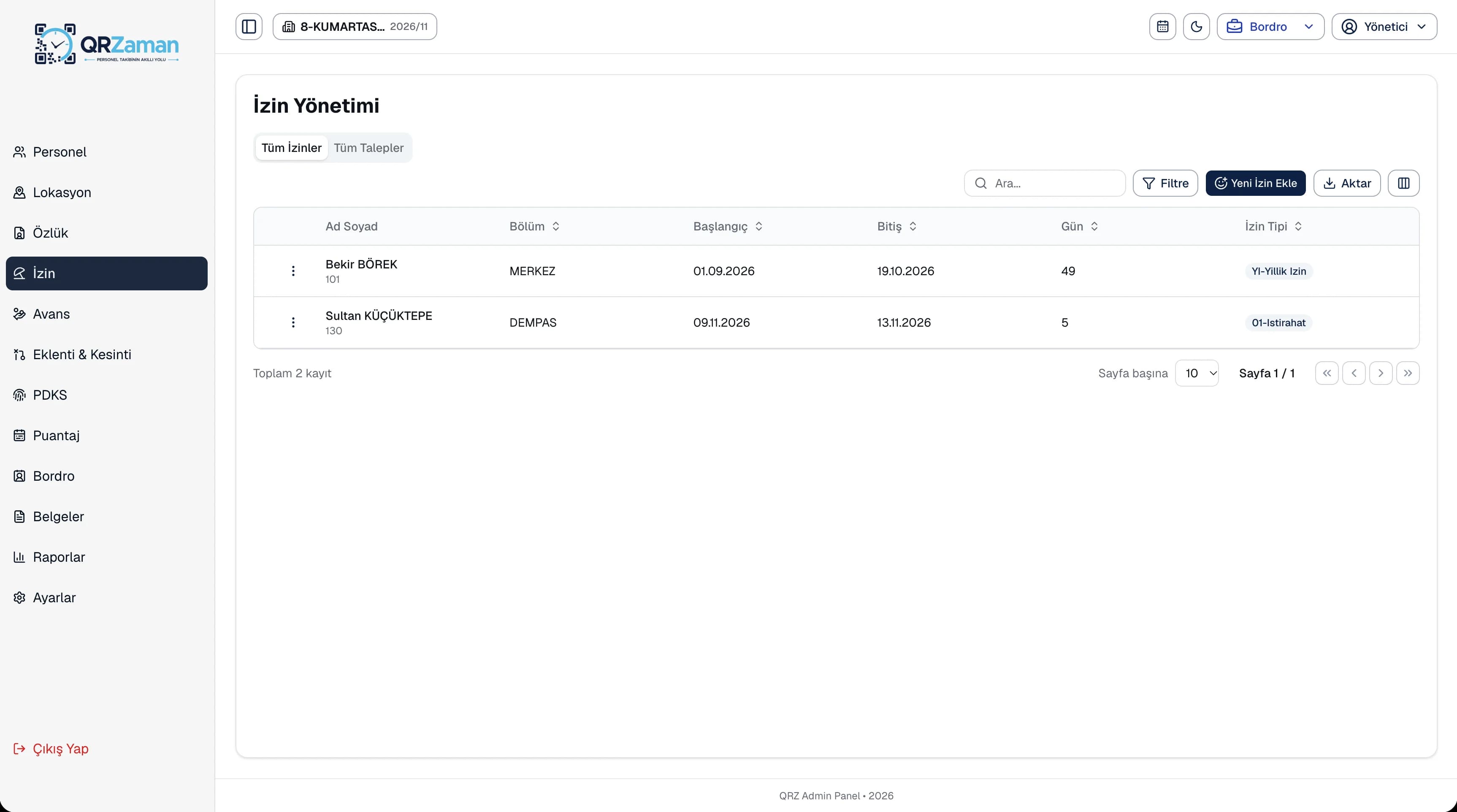
Leave management shares its data with timesheets and reports. Annual leave entitlement is calculated from seniority, so you never update a balance spreadsheet by hand each year. Managers see pending requests on the dashboard and in the mobile app, while HR reports general and annual leave usage with entitlement, used and remaining days and seniority. Every list exports to Excel, PDF or Word.
Every QR Zaman module shares the same data, so Leave Management works hand in hand with these products.
Installments, payroll deductions
Monthly sheet, bulk entry
iOS and Android