

Mobile App
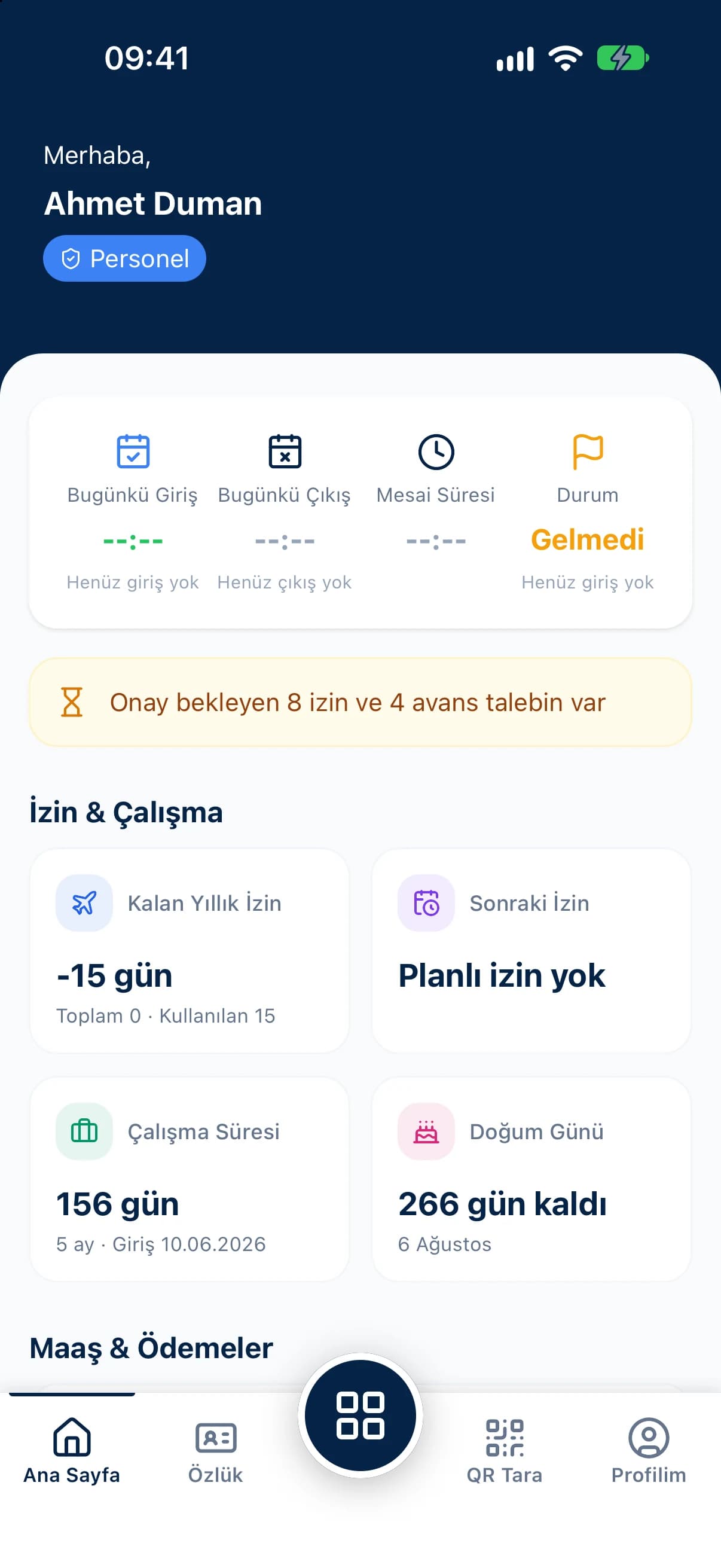
Today's clock-in, live working time, latest payslip and remaining leave right on the home screen.
For employees, QR Zaman puts most workplace admin on their phone. Clock in and out by scanning a QR code, and send leave and salary advance requests from the mobile app. Check your payslip, timesheet and remaining leave whenever you want.
A simple leave request or pay question usually involves several people and several days. QR Zaman puts the answers on the employee's own phone.
Waiting in line at the card reader or sign-in sheet, or having your hours fixed by hand because you forgot your badge, are small problems that repeat every single day.
When a leave form or advance request goes in on paper or by text, it's rarely clear where it's waiting, whether it was approved, or why it was turned down.
Finding out how many leave days you have left, how much overtime you did this month or which deduction hit your payslip means asking HR and waiting for a reply.
The QR Zaman mobile app runs on iOS and Android. Sign in with your username or phone number.
Today's clock-in, live working time, latest payslip and remaining leave right on the home screen.
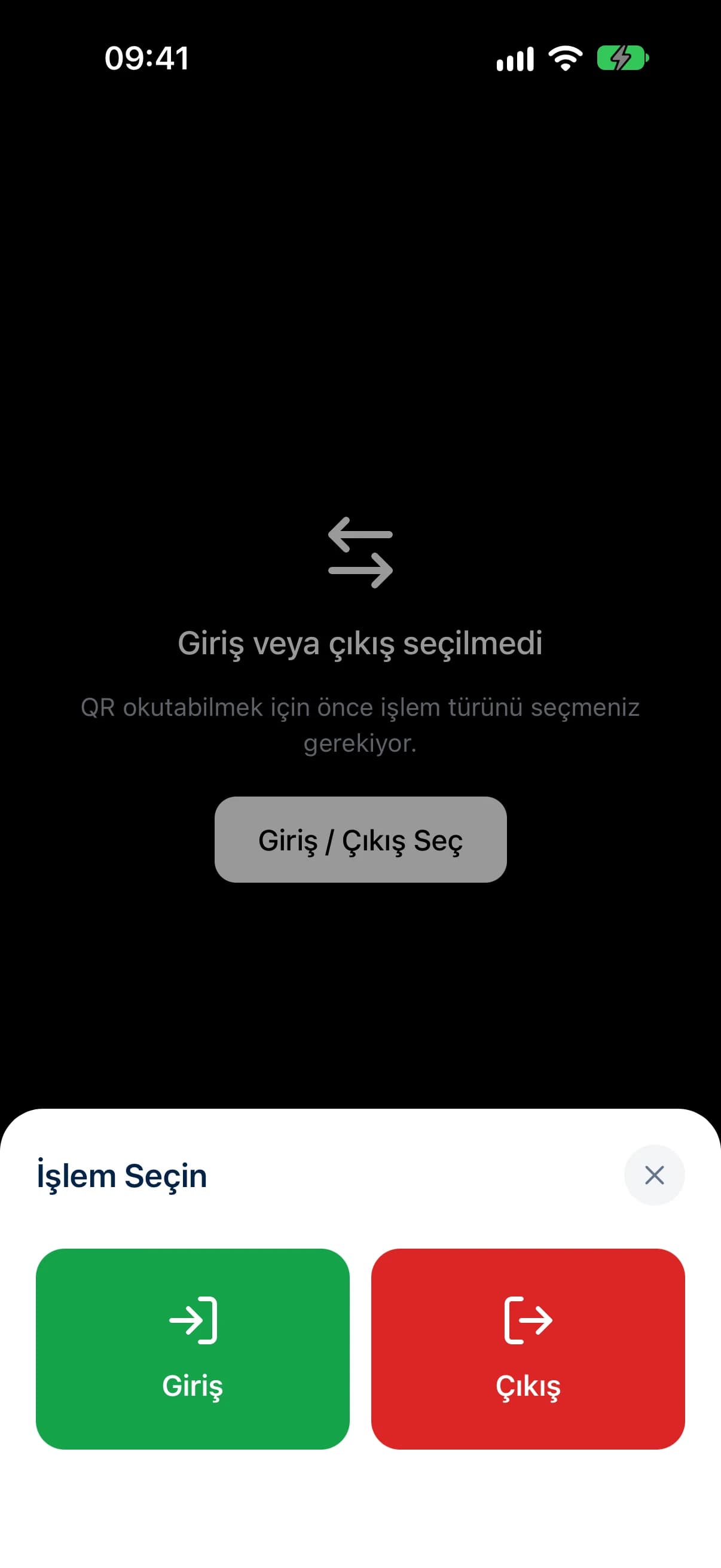
Choose Clock in or Clock out and scan the code; your location is verified and the record is created instantly.
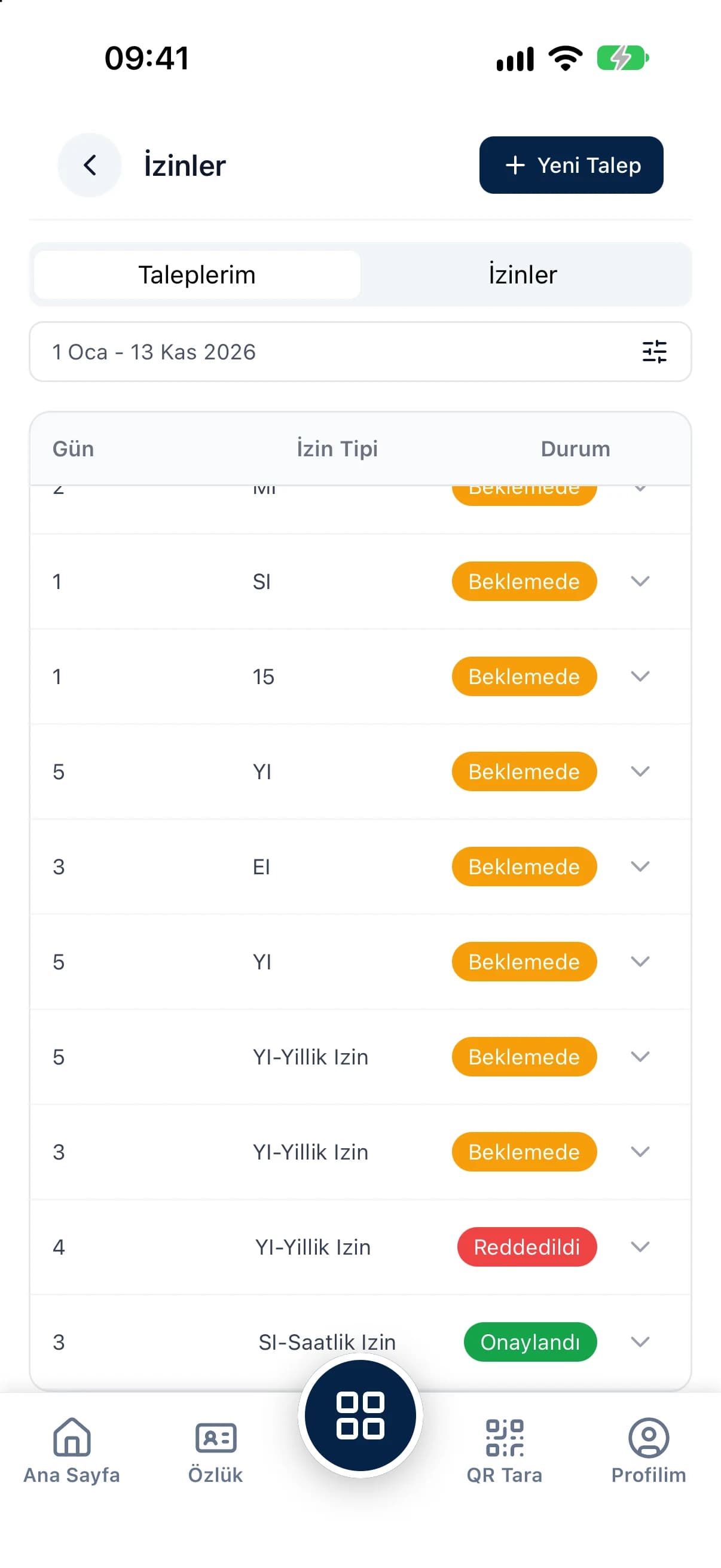
Pick the leave type and dates and see your remaining balance on the request screen.
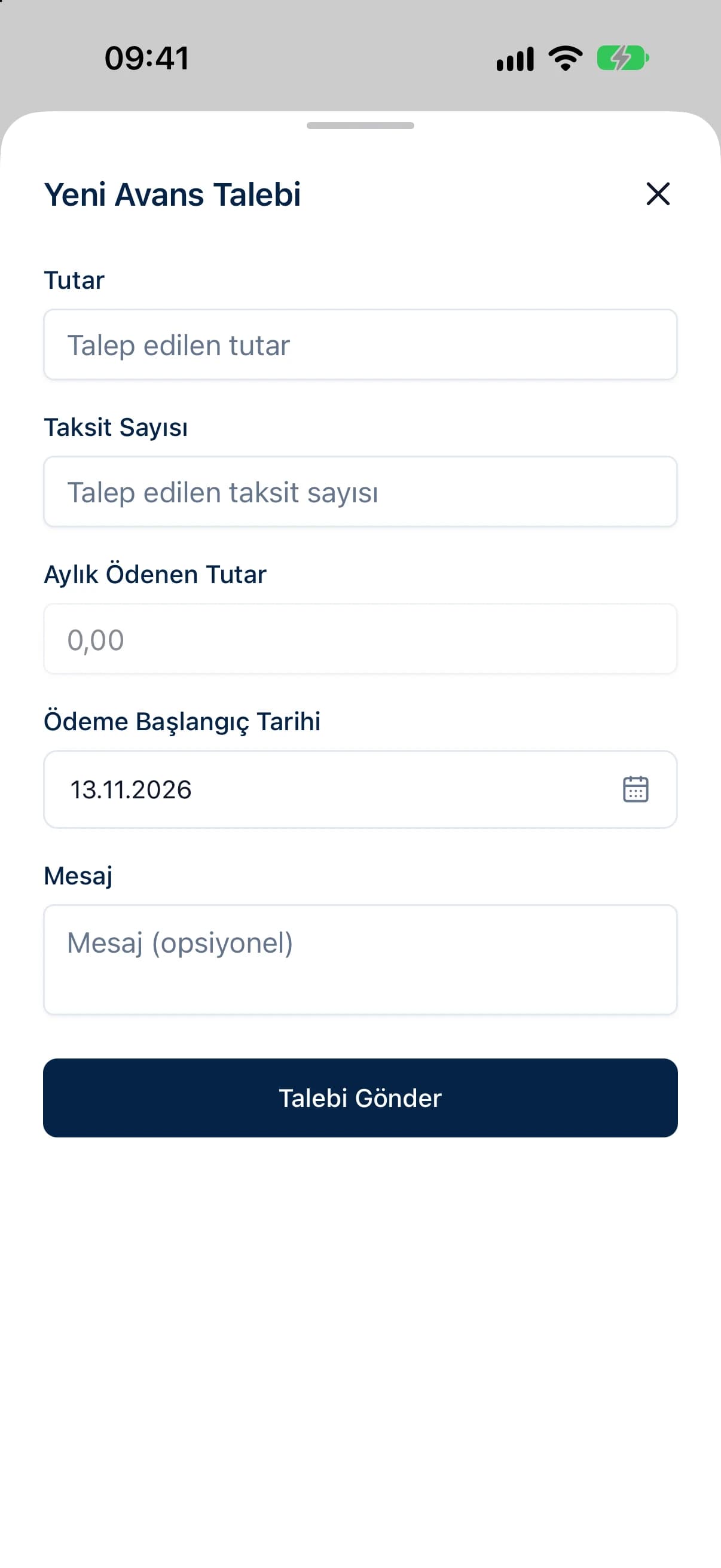
Set the advance amount and number of instalments and follow the status of your request.
See your personal, address, bank and employment details on the employee file screen.
For leave, choose the type, dates, the address where you'll be and add a message; your seniority, entitlement, used and remaining days are shown on the screen. For an advance, set the amount, number of instalments, monthly payment and start date. Track every request as pending, approved or declined, including the reason if it was turned down.
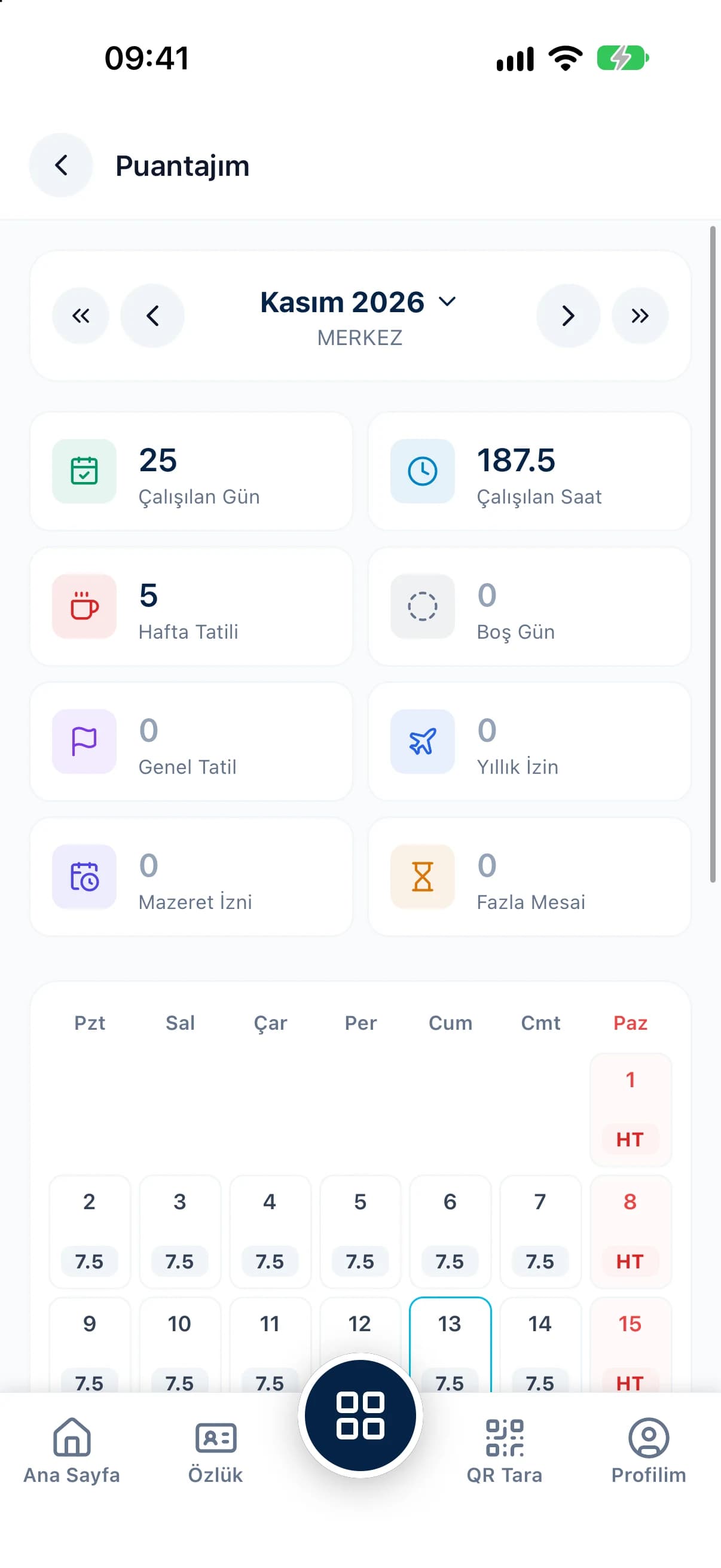
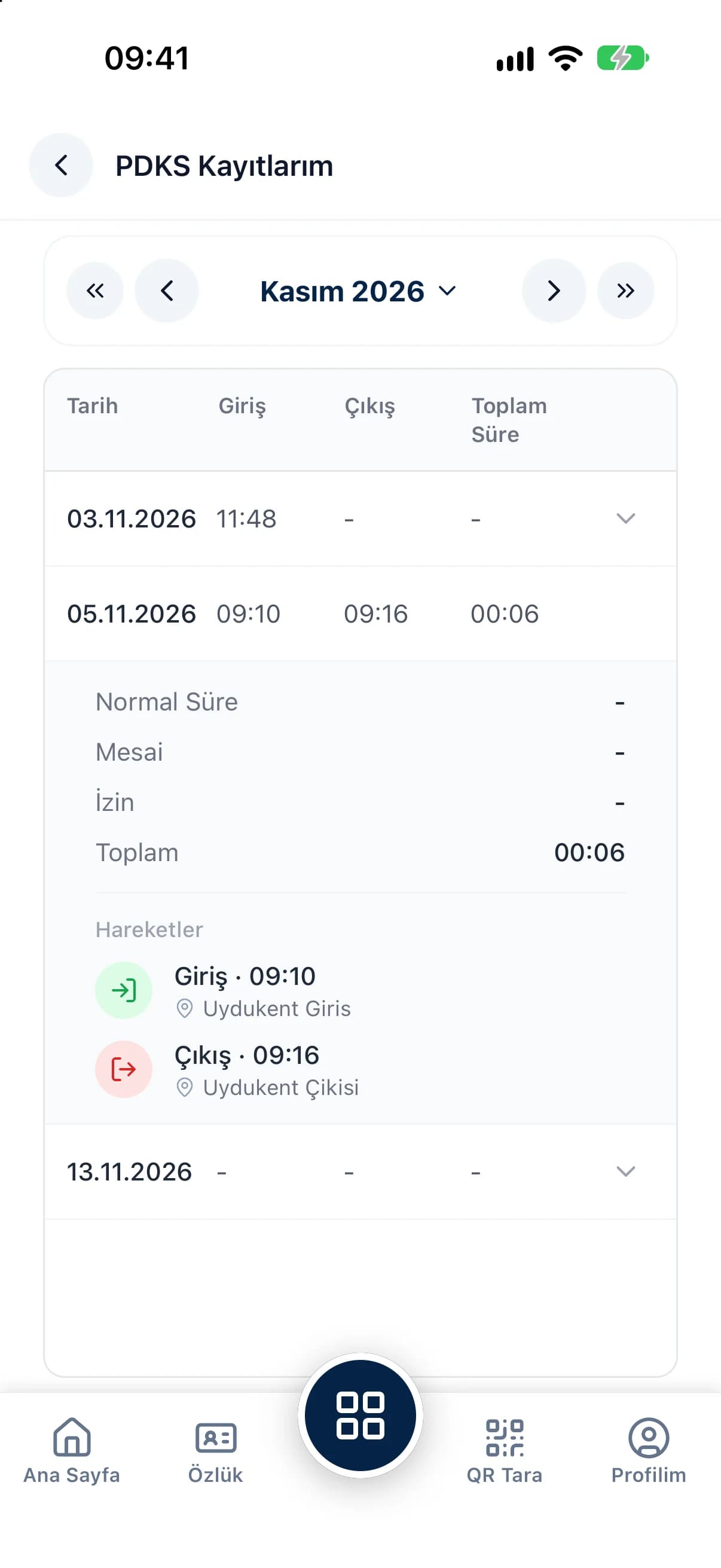
The timesheet screen shows your month as a calendar, with days and hours worked, overtime, leave and holidays added up in a monthly summary. My Attendance lists every clock-in and clock-out with regular, overtime, leave and total time for each day. What you can see depends on your company's permission settings.
The questions we hear most about QR Zaman for Employees. If yours is not here, let us go through it together in a demo.
The QR Zaman app runs on iOS and Android phones. For security your account is paired with a single device; if you change phones, your manager resets the pairing from the panel.
No. The camera is only used to read the QR code and no image is saved. Your phone's location is captured at the moment of the scan and added to the record.
The app needs your location to record a clock-in. If it's off, the app takes you to your phone's settings. Clock-ins made with fake GPS apps are detected and blocked.
The home screen shows your latest payslip (you can hide or show the amount), remaining leave and next leave. My Payslip shows the full breakdown. These screens are available according to your company's permission settings.
QR Zaman is one platform, so the same setup works across other roles and industries too.
Live status, approvals, costs
Timesheets flow into payroll
Store staff and shift tracking