

QR Code Attendance
Location-verified clock in and out
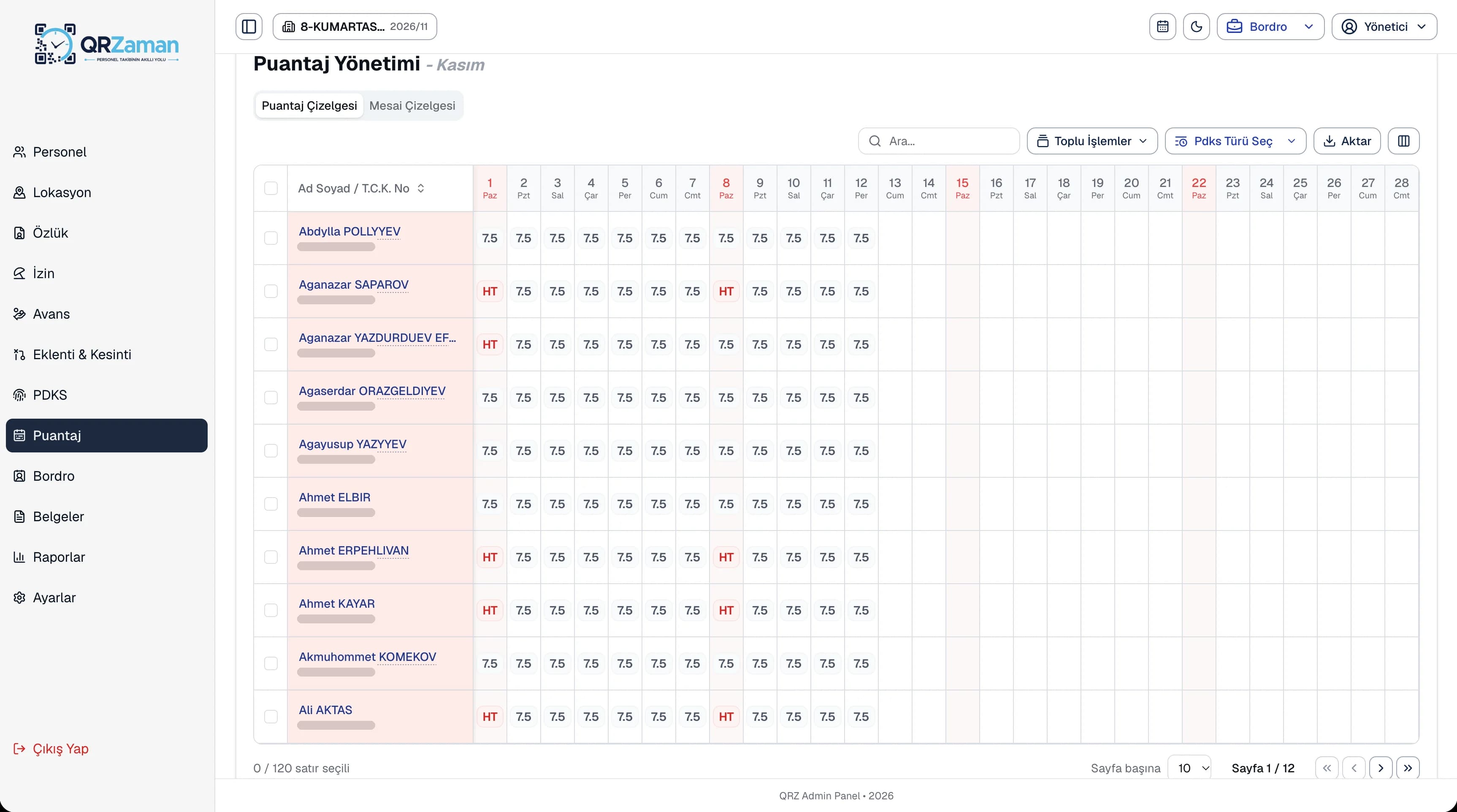
With QR Zaman's timesheet software you no longer wait for month end. QR code attendance records move into the monthly timesheet daily or monthly, and working days, weekly rest days, public holidays and leave show up in a single table. Mark missing days from the toolbar and fill in timesheets for many employees at once.
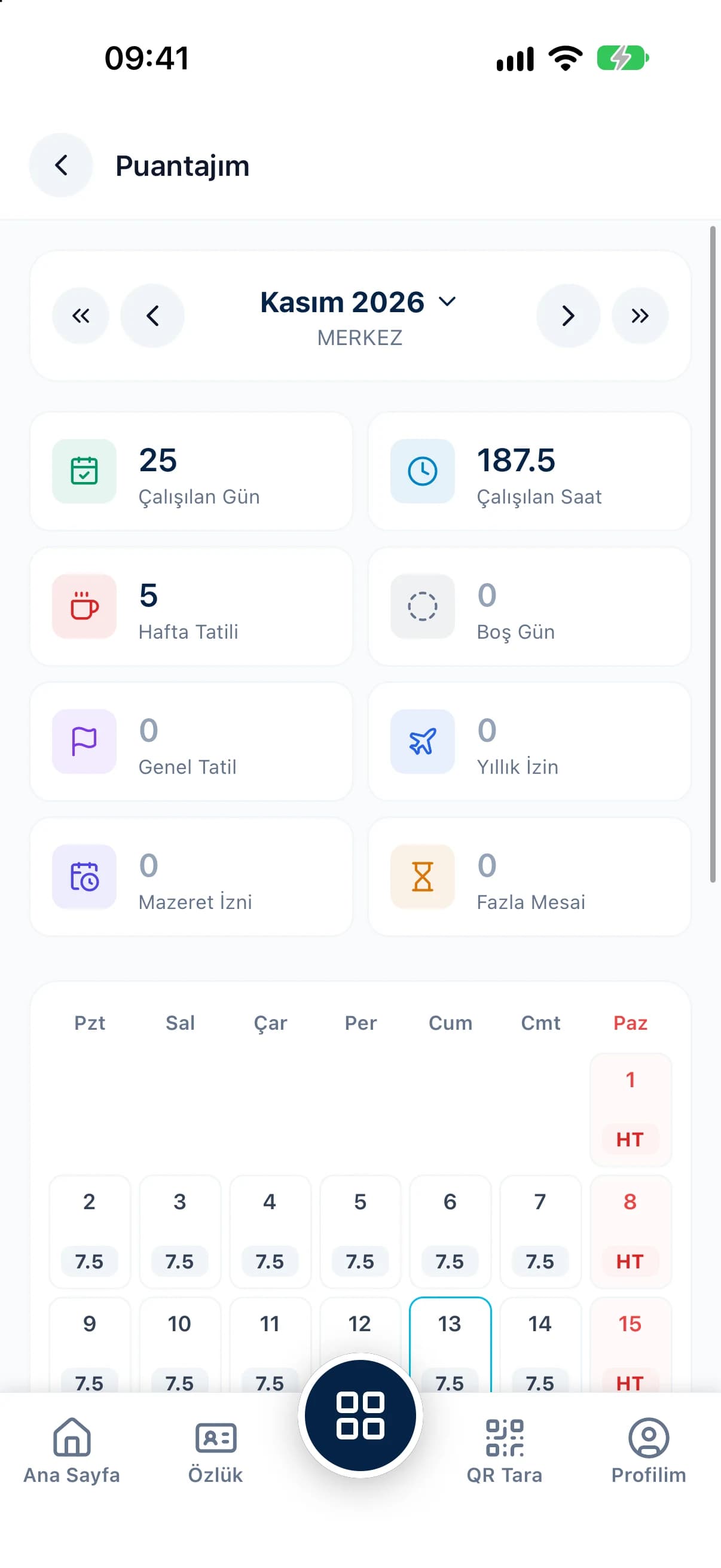
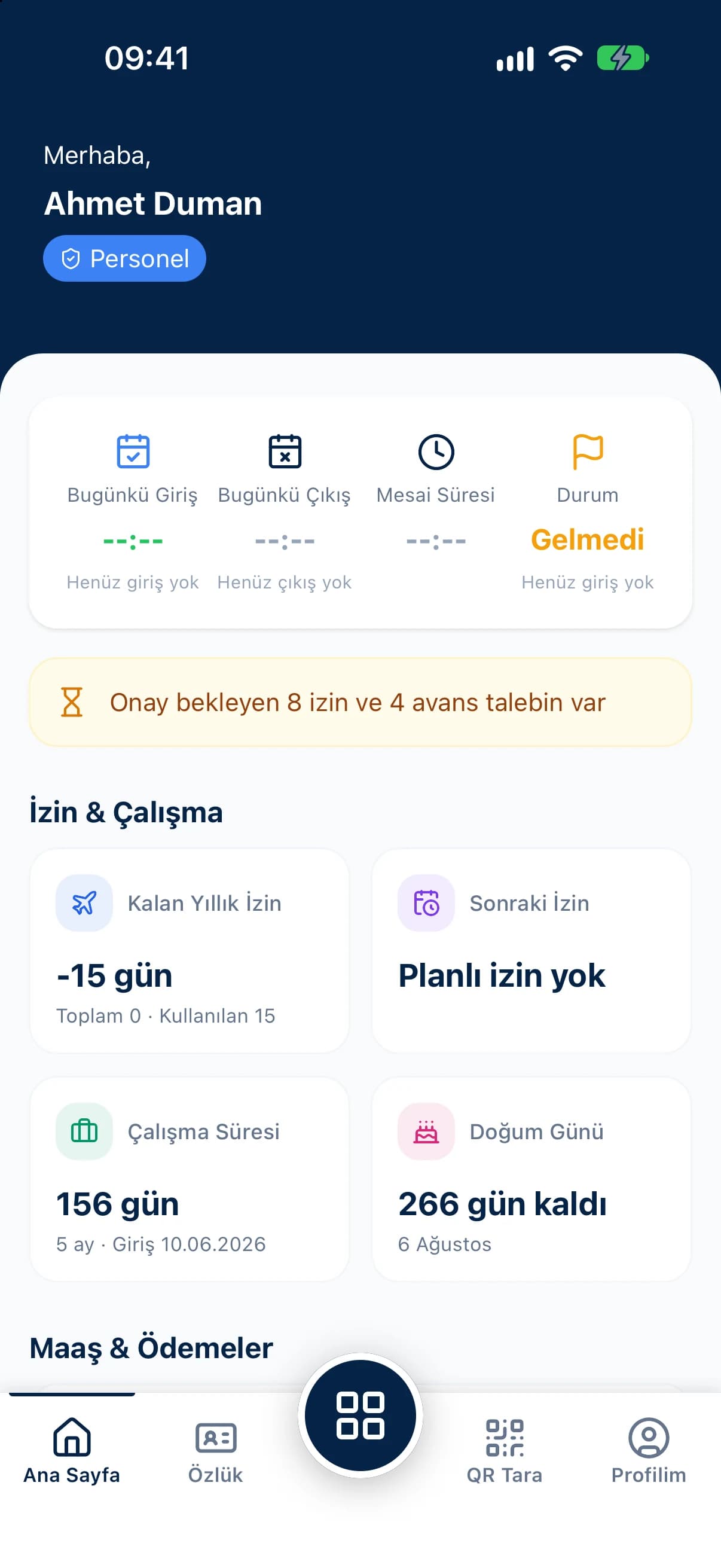
No copying clock-ins by hand: a daily or monthly transfer fills in the timesheet on its own.
Pick a day type in the toolbar and click; select several employees or the whole calendar to finish a month in minutes.
When you allow it, employees see their own timesheet as a monthly calendar in the mobile app, with a summary of the month.
The monthly timesheet lines up every employee against every day of the month. Day types such as annual leave, excused absence, maternity, marriage and bereavement leave each have their own code. Open an employee to see their daily timesheet, monthly summary and other totals, while the overtime sheet lists daily overtime and totals by branch, department and month.
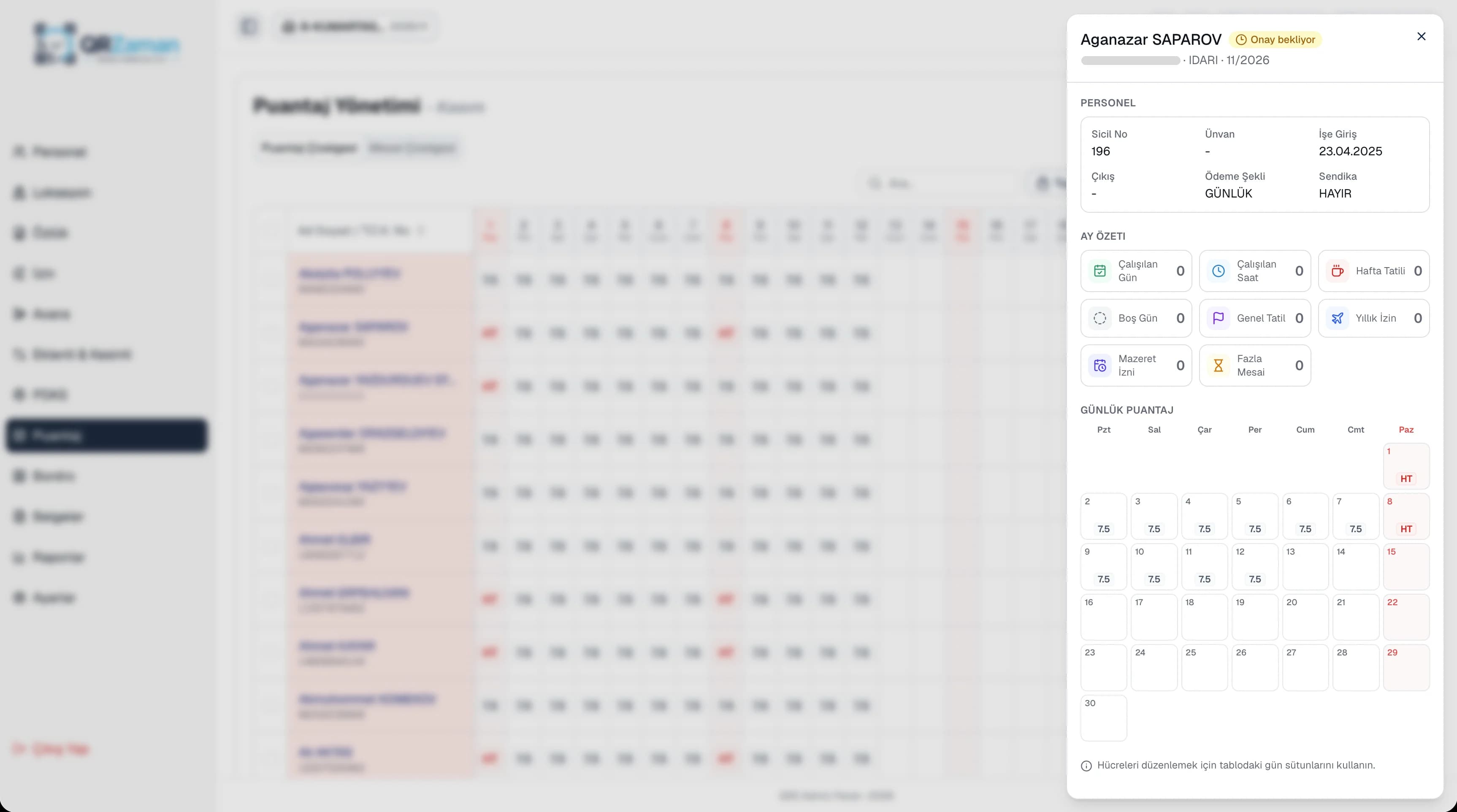
The timesheet is the bridge between attendance and payroll. Clock-ins flow into the timesheet and the timesheet flows into payroll, so you never keep the same data in three different spreadsheets. Day types separate public holidays, annual leave and excused absences, and employees with access check their own days worked, hours and overtime on the My Timesheet screen.
Every QR Zaman module shares the same data, so Timesheets & Overtime works hand in hand with these products.
Location-verified clock in and out
Night shifts, breaks, weekly rest
Bulk payroll in one click