

Timesheets & Overtime
Monthly sheet, bulk entry
Shift management software lets you set up shift definitions for each branch and department. Once night shifts, break times and weekly rest days are defined, total working, break and overtime hours are calculated automatically, and QR code attendance records flow into the timesheet according to those rules.
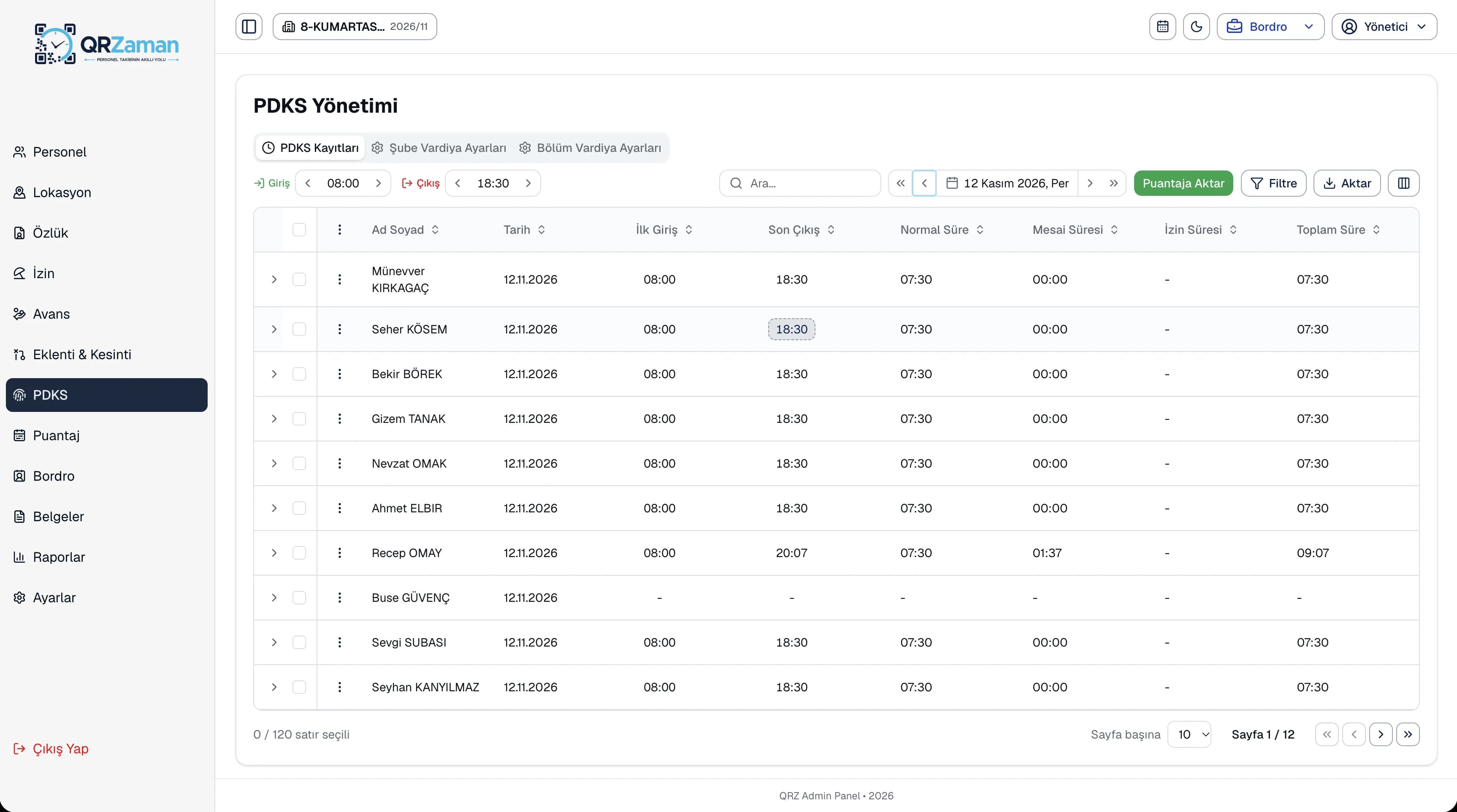
If your store, production line and office work different hours, give each its own shift; shift work and the weekly rest day are set on the employee profile.
The night shift option covers work that runs past midnight, and working and break times are calculated against the shift.
Total working, break and overtime hours come straight from the shift definition, with daily and monthly totals on the overtime sheet.
The overtime sheet shows every employee's daily overtime and monthly totals in one table. Filter by branch, department and month to focus on a team; overtime calculated from the shift rules moves into the timesheet and from there into payroll. The attendance report also lists late arrivals, late departures, absences and who worked overtime.
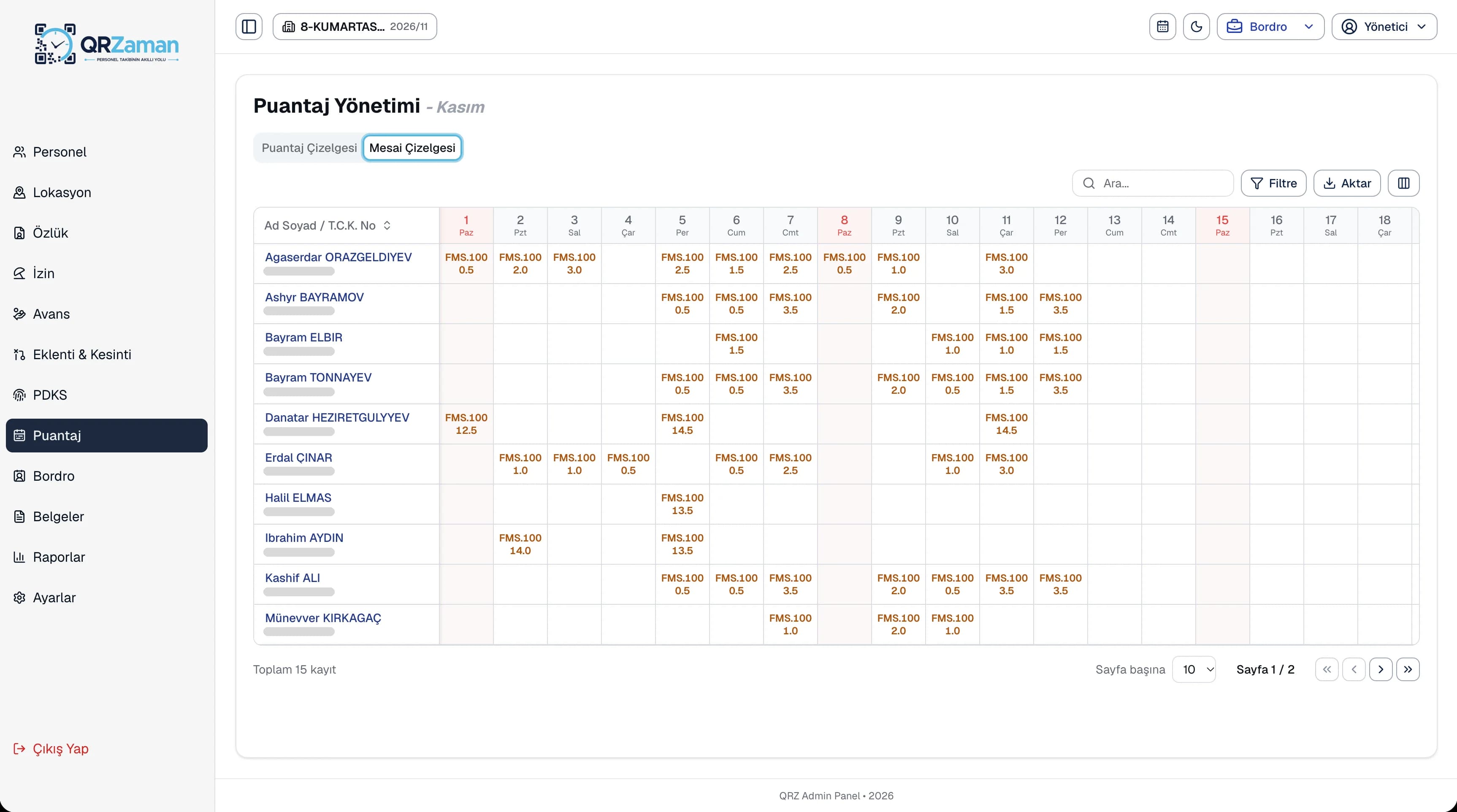
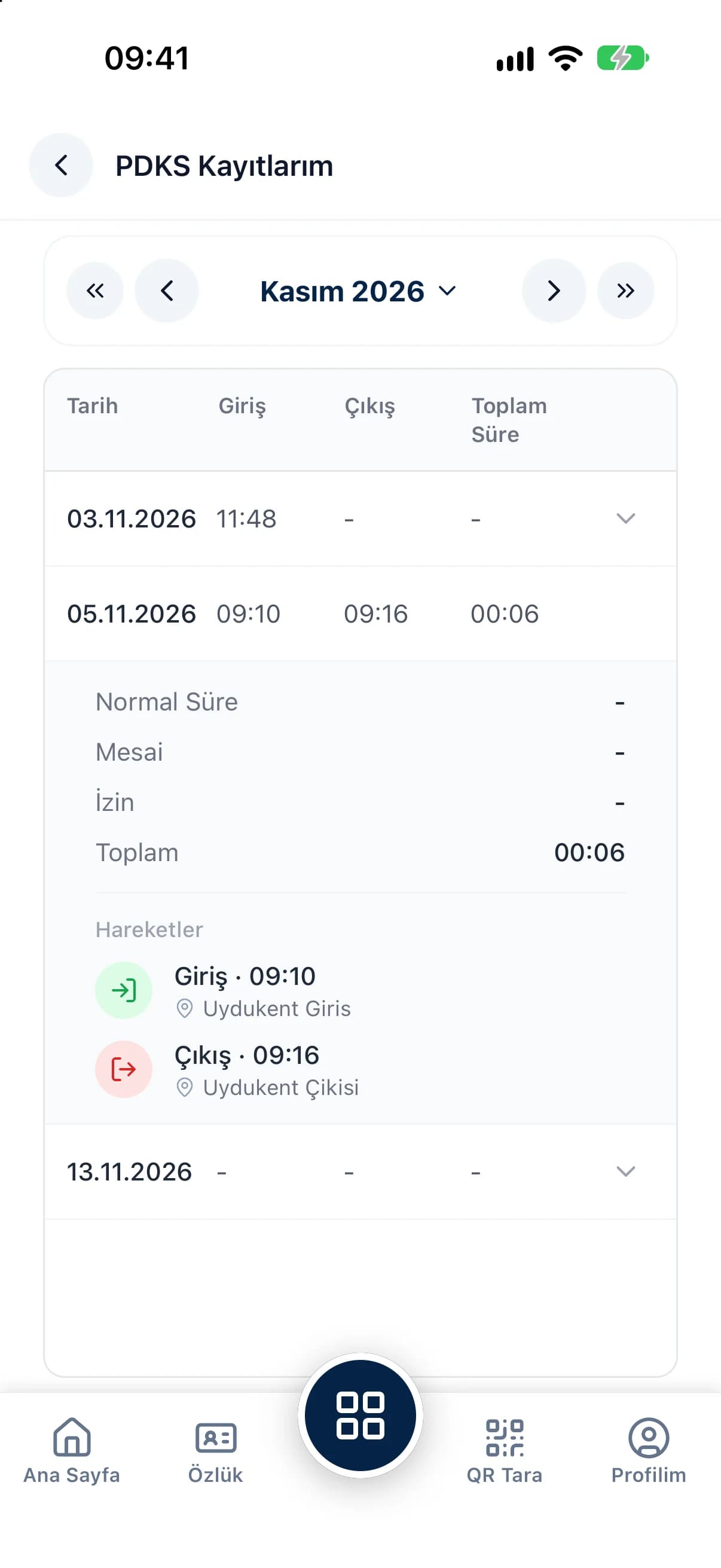
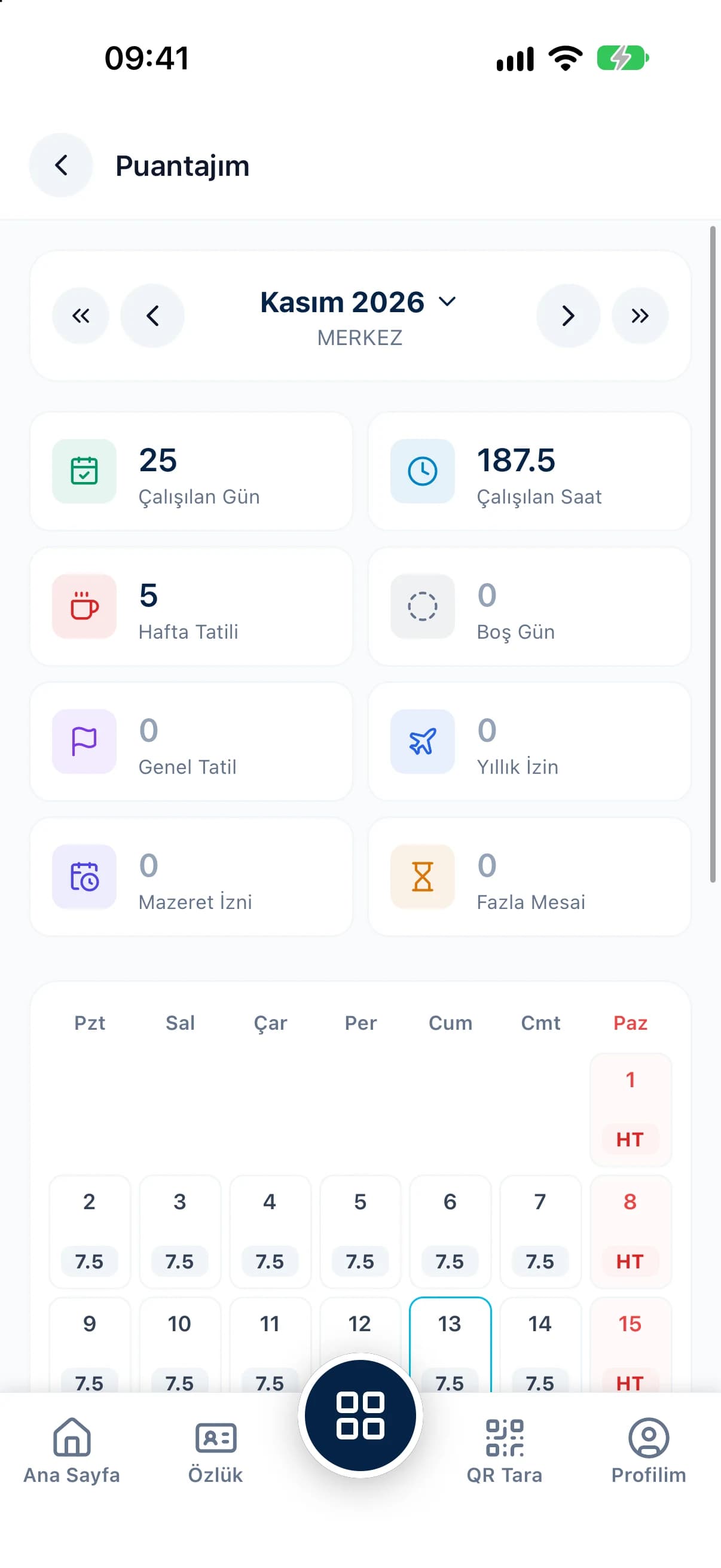
Shift definitions are the foundation of attendance and timesheets. Since everyone's shift, break time and weekly rest day are known up front, overtime is calculated the same way for every employee. Create separate rules for production lines, stores or night teams and compare the results on the overtime sheet and in the attendance report. Every output exports to Excel, PDF or Word.
Every QR Zaman module shares the same data, so Shift Management works hand in hand with these products.
Monthly sheet, bulk entry
Location-verified clock in and out
Bulk payroll in one click