

Roles & Permissions
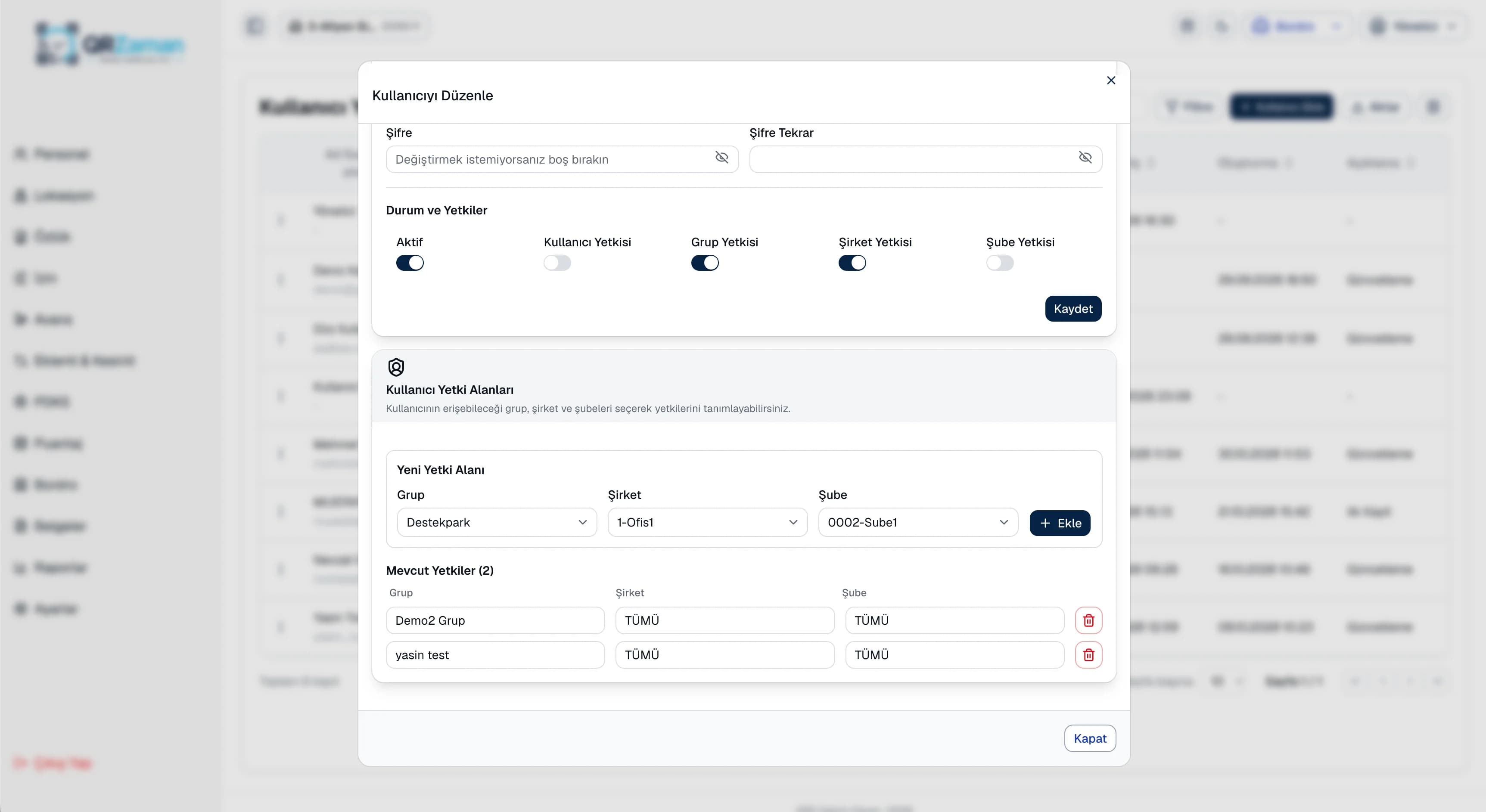
Access scoped to each user
Multi-company management brings your groups, companies, branches and departments together in one hierarchy. You work by picking the group, company, branch and period (year/month) from the top bar, and each user gets a permission scope by group, company or branch. Groups with several companies and multi-branch businesses no longer need separate systems.
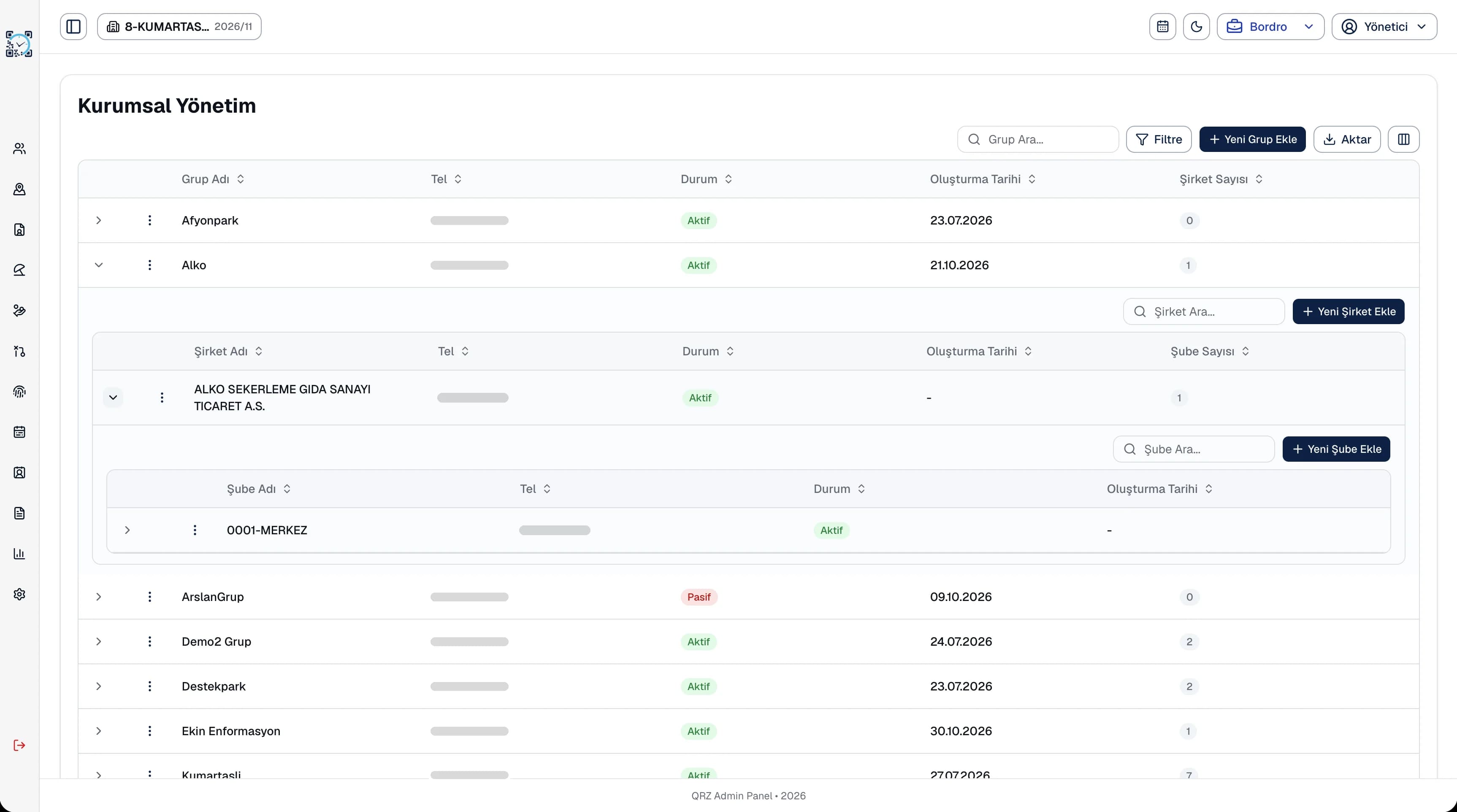
Set up your organization on four levels and switch each level active or inactive on its own.
Group, company, branch and period selection is in the top bar on every screen, so you never sign out to switch branches.
Tax office and number, MERSIS, trade registry, İŞKUR and workplace social security numbers are kept on company and branch cards.
The corporate management screen lists groups, companies, branches and departments nested inside each other. Company and branch cards hold the activity code, opening and closing dates, ownership type and province and district. Department cards store the location, the person in charge and working hours, and QR points and shifts are defined by branch and department as well.
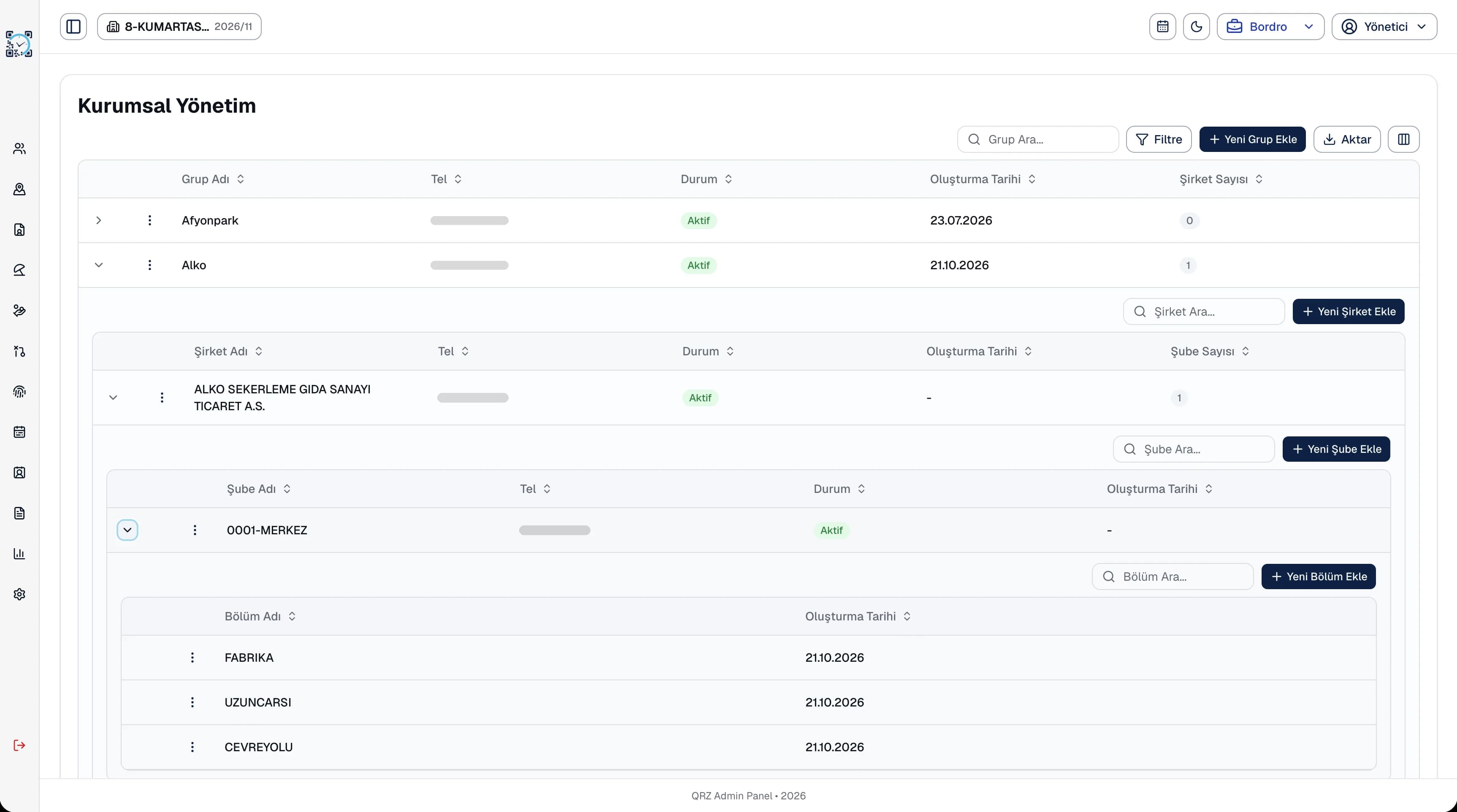
A multi-company structure matters for daily work, not just for corporate records. Shift definitions, QR points and reports work per branch and department, so head office sees every company while a regional lead sees only their own branches. With the period picker, you never hunt for an archive screen to go back to an earlier month's timesheet or payroll.
Every QR Zaman module shares the same data, so Multi-Company & Branch works hand in hand with these products.
Access scoped to each user
Role-based overview, public holidays
Printable A4 QR posters