

Shift Management
Define shifts per unit with night shifts, breaks and days off; hours are calculated automatically.
Healthcare staff scheduling and attendance have to be reliable around the clock. With QR Zaman, staff at hospitals, clinics and care providers clock in and out by scanning a QR code with their own phone. Night shifts, leave, timesheets and payroll are all managed together in one panel.
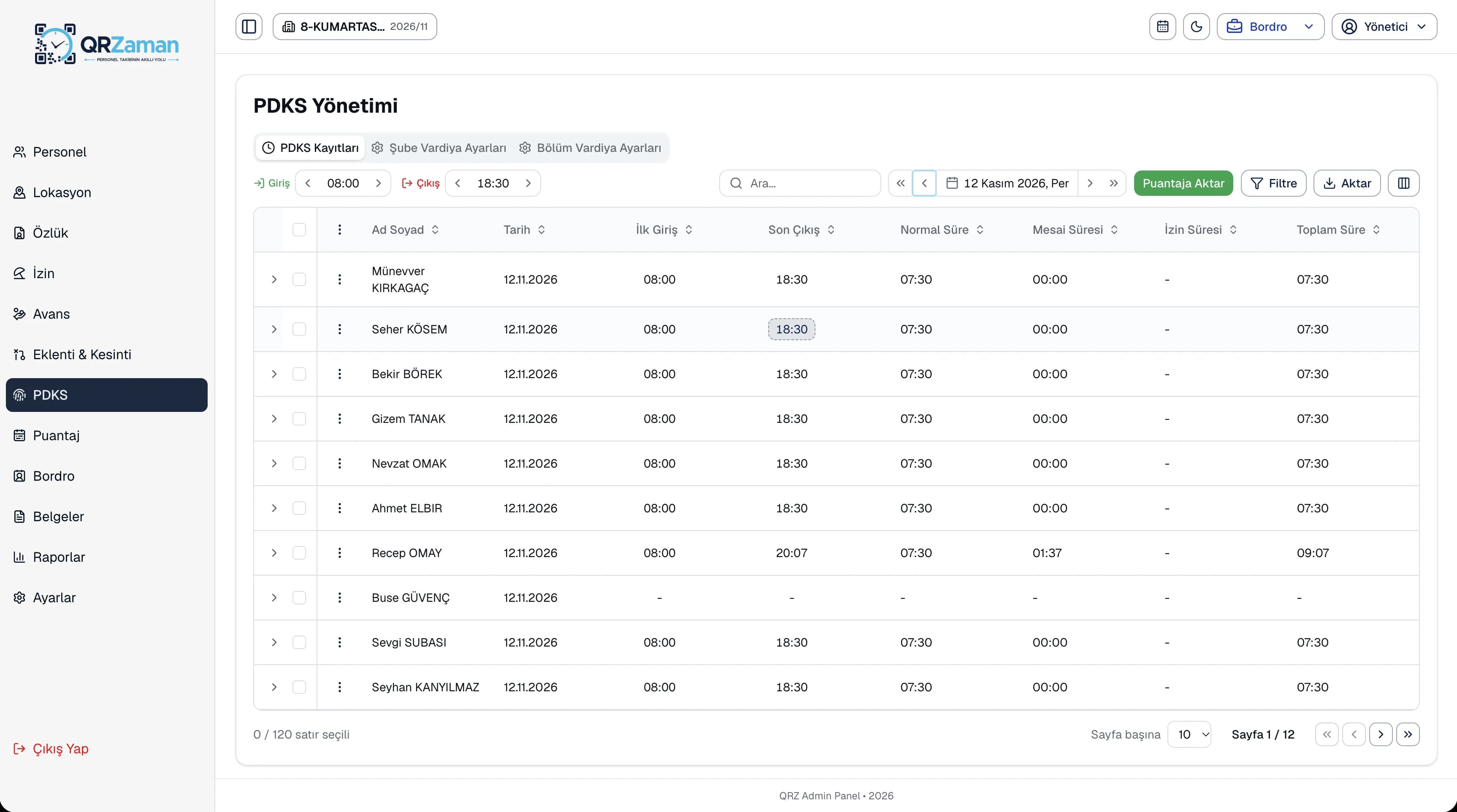
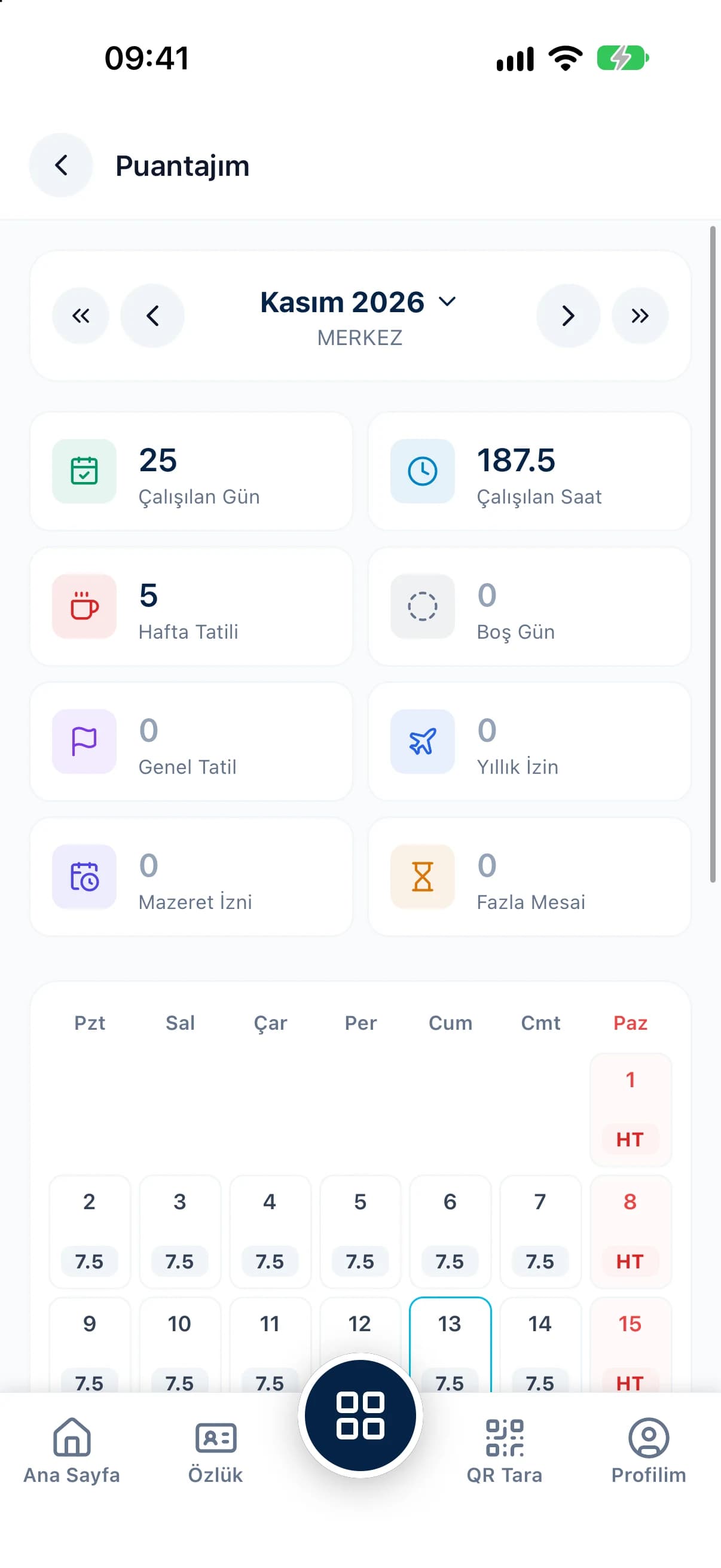
Healthcare providers never close. Shift patterns, leave planning and staff records need more care here than in most industries.
Night, weekend and public holiday shifts are routine in healthcare. When working time, breaks and overtime for shifts that run past midnight are calculated by hand, timesheets stop adding up.
When sick leave and other documented absences are requested, evidenced and approved through different channels, documents get lost and leave balances end up wrong.
Emergency, outpatient, laboratory and administrative units all keep different hours. Collecting attendance from each one separately delays the overall picture for management.
Set up units as departments, each with its own shifts and QR check-in point. Everything comes together in one timesheet and payroll.
Define shifts per unit with night shifts, breaks and days off; hours are calculated automatically.
Staff scan the QR code at their unit; location and device checks keep every record reliable.
Attach files such as medical certificates to leave requests; managers approve with the balance in view.
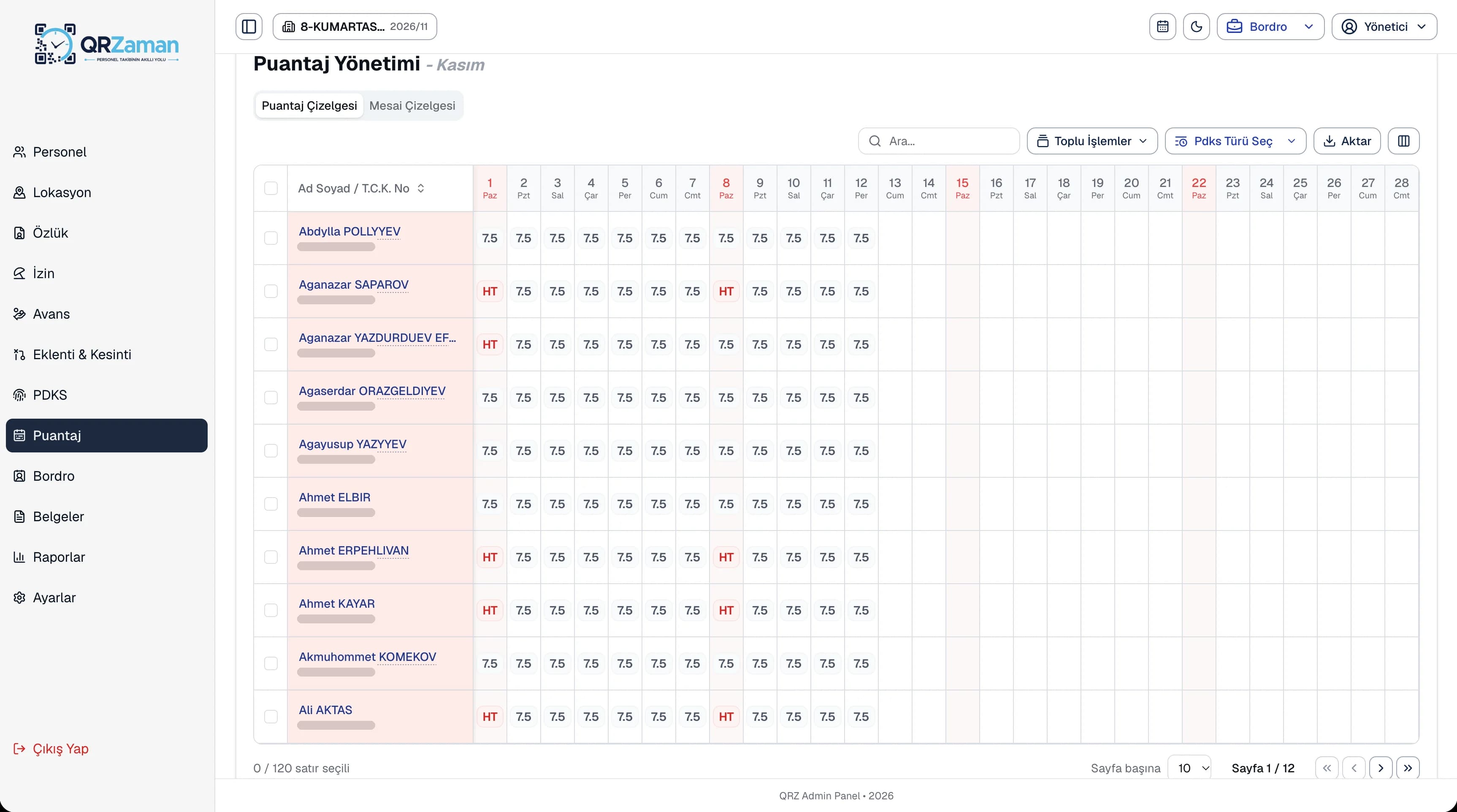
Keep monthly timesheets per unit with day types such as public holiday, annual leave and excused absence.
Keep each employee's file, including identity, education and health details, in one place.
Night and public holiday overtime are calculated automatically as separate payroll lines.
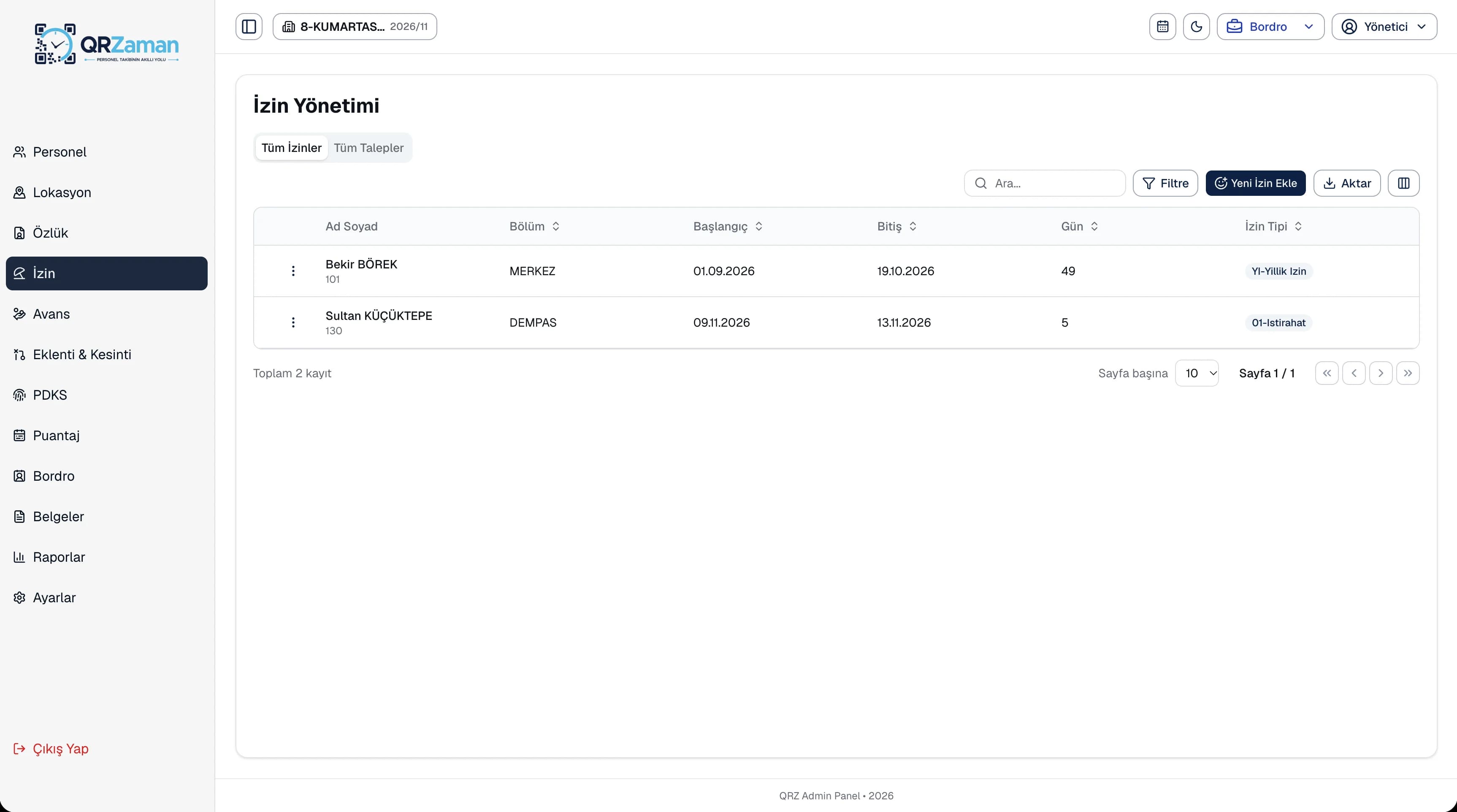
Staff send leave requests from mobile and can add hourly leave, a leave address, a message and attachments such as medical certificates. Seniority, entitlement, used and remaining leave are calculated automatically on the request. Managers approve, or decline with a reason, and all leave and requests are listed on separate tabs.
Attendance is transferred to the timesheet daily or monthly. The timesheet grid shows day types such as working day, weekly rest, public holiday, annual leave and excused absence, which you can mark quickly from the toolbar. The overtime sheet shows daily overtime by unit and month.
The questions we hear most about QR Zaman for Healthcare. If yours is not here, let us go through it together in a demo.
In the shift definition you set the night shift, break length and weekly rest day. Total working time, breaks and overtime are calculated automatically from QR clock-ins, and payroll shows night and public holiday overtime as separate lines.
Yes. Files can be attached to leave requests. The manager sees the attachment while reviewing the request and approves it or declines it with a reason.
Yes. Locations are linked to departments, so you can create a separate QR point for each unit, such as the emergency department, outpatient clinic or laboratory, and put it up at its entrance.
Each user sees only the menus and data defined for their role and scope. In the mobile app, session data is kept in encrypted device storage, and no camera image is saved when scanning a QR code.
QR Zaman is one platform, so the same setup works across other roles and industries too.
Shift-based production and overtime
Timesheets flow into payroll
Every branch in one panel