

Shift Management
Define shifts per department with night shifts, breaks and days off; hours are calculated automatically.
Manufacturing shift tracking starts at shift change and ends in payroll. With QR Zaman, employees scan the QR code at the factory entrance and their hours are calculated against their shift. Night shifts, breaks and overtime are separated automatically, and department-level overtime sheets and timesheets are ready at month end.
Manufacturing runs on round-the-clock shifts and large teams. Small time-tracking errors turn into big payroll differences across hundreds of employees.
When a shift starts at night and ends the next morning, deciding which day the hours belong to, whether the break was deducted and how night overtime is paid becomes a constant source of errors if done by hand.
When dozens of people clock in and out at the same moment, a single terminal creates a queue and records that have to be corrected afterwards.
When overtime during busy order periods is tracked through supervisors' notes, month end inevitably brings arguments between employees and HR over missing hours.
Shift definitions, attendance, timesheets and payroll share the same data, so supervisors and HR look at the same numbers.
Define shifts per department with night shifts, breaks and days off; hours are calculated automatically.
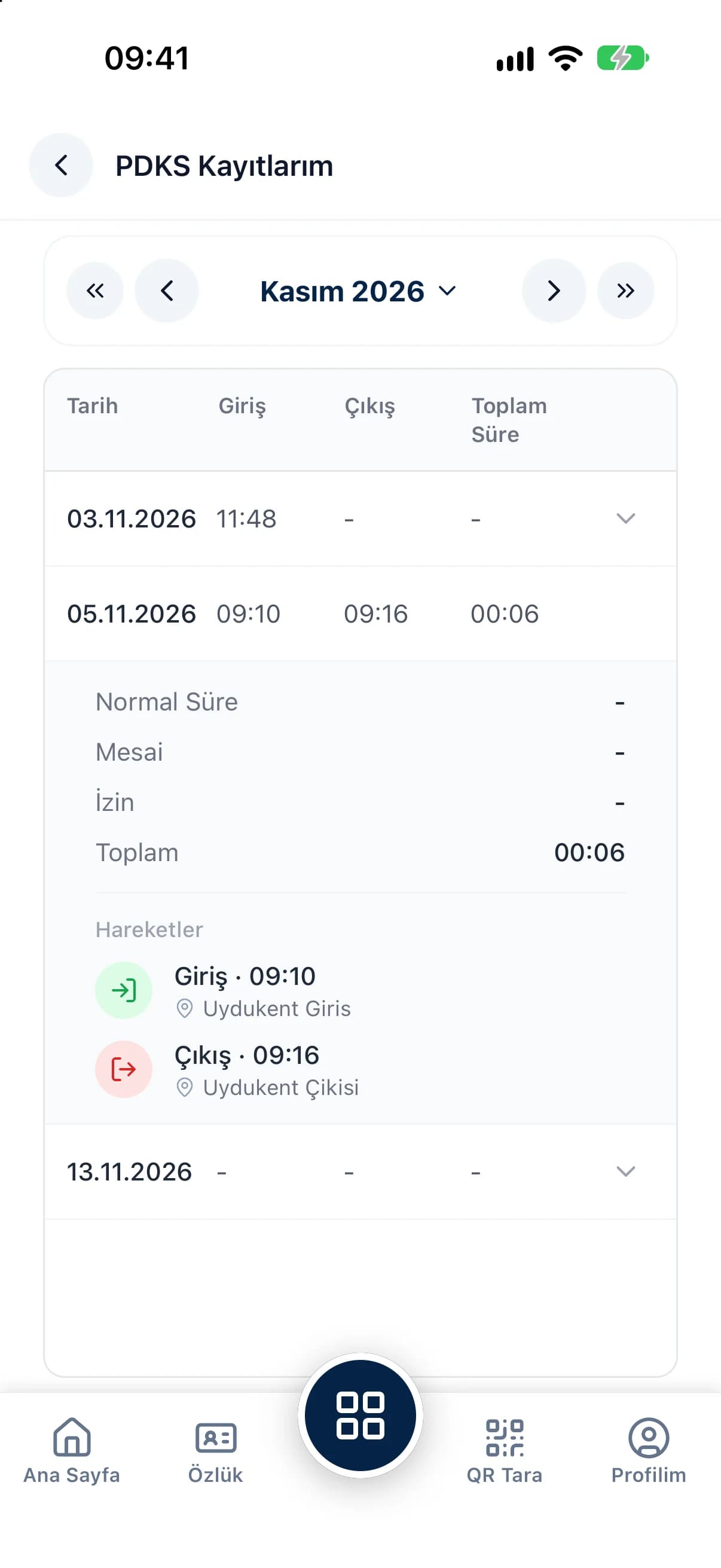
Everyone scans with their own phone, so there's no queue at a single terminal at shift change.
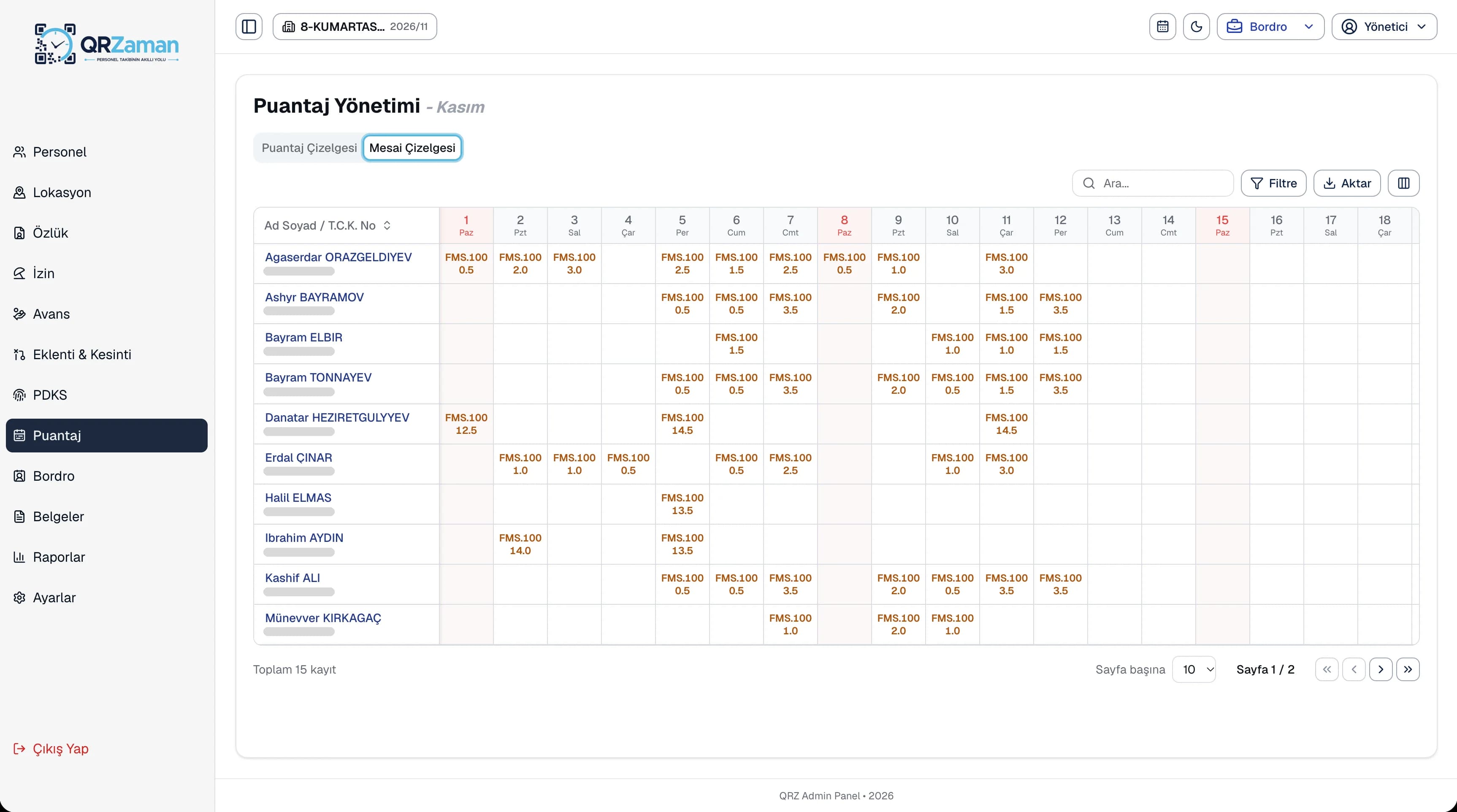
View monthly timesheets and overtime sheets by department and month, with bulk timesheet entry.
Regular, night, public holiday and collective agreement overtime are calculated as separate payroll lines.
Add production bonuses or damage deductions to many employees in a single entry.
Follow late arrivals, late departures, absences and overtime in the attendance report.
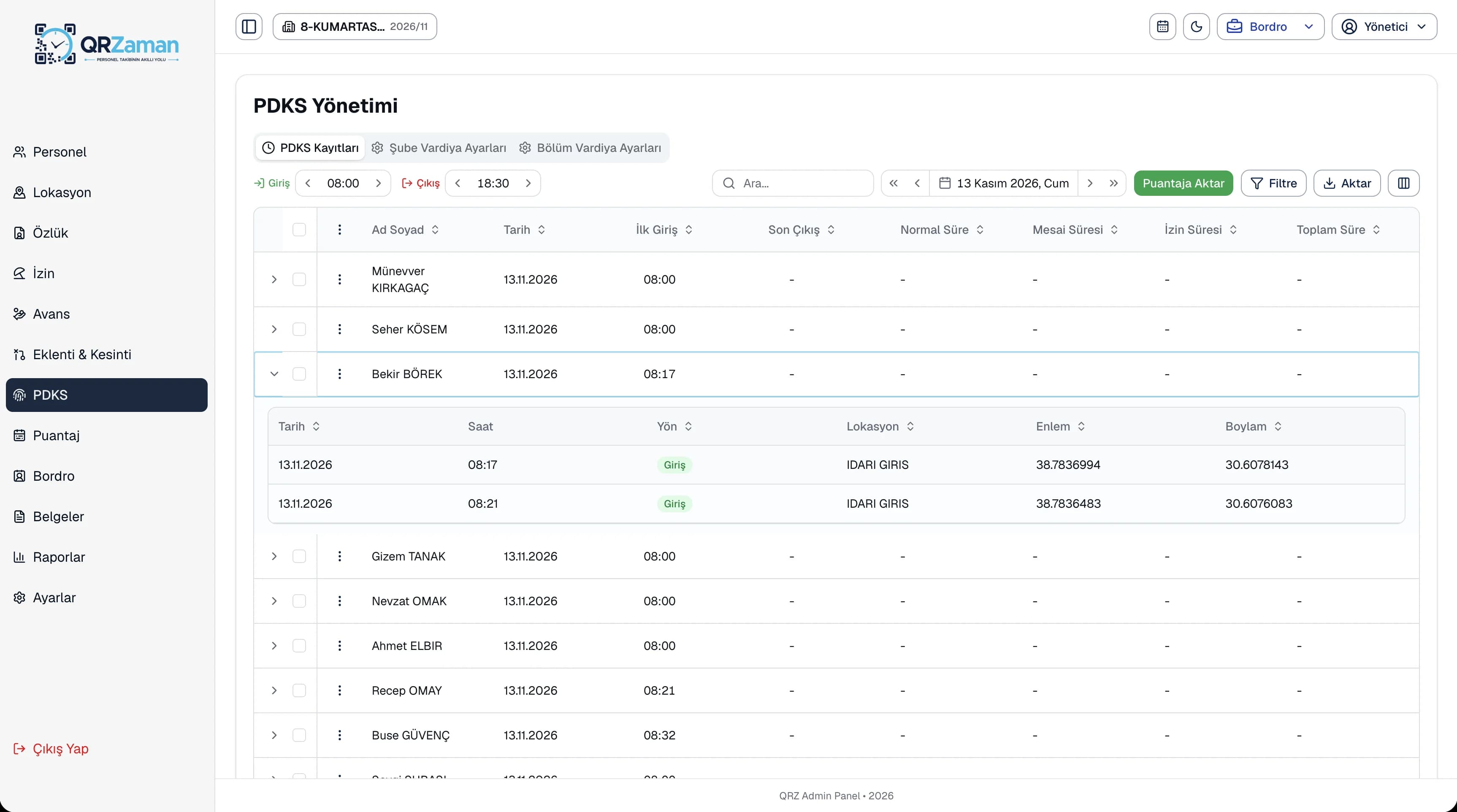
Each clock-in and clock-out stores the time, the location and the latitude and longitude of the scan. Records are split into regular hours, breaks and overtime according to the shift. Filter by department and date range, correct a wrong time or clear a record; employees get a warning on duplicates such as a second clock-in on the same day.
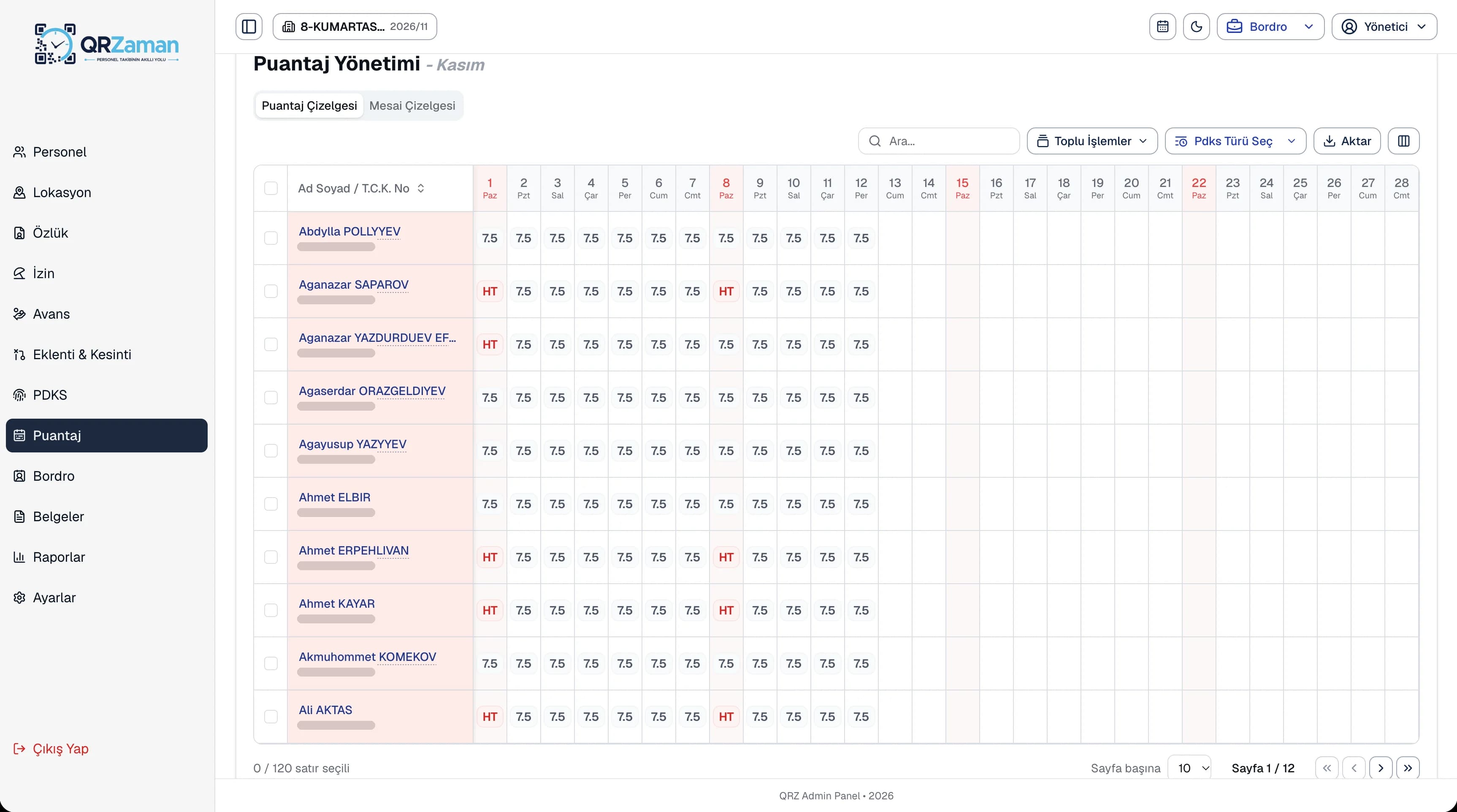
Attendance is transferred to the timesheet daily or monthly. The timesheet grid shows every employee by day, and the toolbar lets you mark weekly rest days, public holidays and leave quickly. Use bulk entry for many employees at once, and review each person's daily timesheet and monthly summary.
The questions we hear most about QR Zaman for Manufacturing & Factories. If yours is not here, let us go through it together in a demo.
In the shift definition you set the night shift, break length and weekly rest day. QR Zaman then calculates total working time, breaks and overtime from the clock-in and clock-out records automatically.
Every employee clocks in from their own phone, so nobody queues at a single device. You can put a QR point at the factory gate or a separate one for each department.
Yes. Shifts are defined per branch and department, so production, warehouse and office teams can each have their own hours and break lengths.
Overtime moves into the timesheet and is calculated in payroll as separate regular, night, public holiday and collective agreement overtime lines. Extra overtime by day, hour or amount can also be added on the earnings screen.
QR Zaman is one platform, so the same setup works across other roles and industries too.
Timesheets flow into payroll
Location-verified site check-ins
Every branch in one panel